

33% of people worldwide use YouTube to learn new things. So if you’re a creator, why not brainstorm some how to video ideas and make awesome videos for a massive audience?
But, with 500 hours of videos uploaded every minute, you can’t just make anything. You’ll need to match your skills to what people are actually looking for.
Don’t worry about researching tutorial video ideas all by yourself. We’ve compiled some those ideas for you to get inspired. Read on!
Key Takeaways
- How-to videos remain profitable in 2026. With topics ranging from productivity and AI to gaming and smartphone photography, there are tons of ways to reach audiences eager to learn.
- To succeed, match your expertise to beginner audiences, who generate 10x more views than advanced content. Focus on a distinct teaching personality to stand out from others.
- Make videos for the platform, not for yourself. Shorter videos often perform better because they signal completion to the algorithm. Start out cheap, then upgrade your gear as you go.
- Begin with what your viewers need, not your interests. Beginners might want 15-30 minute tutorials covering all steps, while practical gamers might prefer quick 3-5 minute raid guides.
How to Come Up With the Right Tutorial Video Ideas
To come up with the right tutorial video ideas, think about these steps to make sure you’re solving a real problem for your users:
1. Think About Your Expertise
You watch tutorials from experts because you believe they know their stuff, right? So, if you want to make your own, recognize your skills and experience in your niche.
People ask, “Why listen to this person?” before they click. They subscribe because they see the creator as a trusted authority.
Use that trust to generate ideas for your how-to videos. Whether you’re recording software or demonstrating a product, your skills ensure trustworthy instructions.
2. Understand Your Audience’s Skill Level
Your audience guides your teaching. Beginners learning Adobe Premiere Pro may not know how to start a screen capture. For advanced users, covering these basics would bore them.
Their skill level decides your pace and what you can skip. Beginners need every step; skip one, and they’ll get lost, bounce, and miss your call to action.
Keep this in mind when planning tutorial video ideas. Remember, beginner videos attract ten times more views. So, why pretend to be an expert when your audience just wants simple guidance?
3. Find Your Unique Value Proposition
The “why you” angle makes your content stand out. It shows you’re an authority as a content creator.
Most tutorial topics are already out there. “Premiere Pro for beginners,” “How to push rank on Clash Royale,” and more. The real question isn’t originality. It’s what sets you apart.
Your personality, teaching style, or approach gives viewers a reason to pick your video over the rest. If you want the right how-to video ideas, stay true to what makes you unique.
4. Look at Your Production Equipment
You don’t need fancy gear to start making tutorials. But what you use shapes what you can create.
You want to get started for under $200? No problem. If you have a phone from 2020, it can record great 4K videos. A basic USB mic costs about $30-50 and makes your sound much better.
Using your phone for screen recordings still works. But without a good microphone, talking-head videos may lack professionalism.
5. Think About Your Video Length
Most tutorial creators believe longer videos show more detail. But shorter, tighter tutorials often get more views because viewers finish them. Retention beats length.
A Premiere Pro tutorial on YouTube usually takes about 12 to 15 minutes to cover everything. But on TikTok or Instagram Reels, it’s just 30 to 60 seconds, more like a quick tip.
So, before choosing a tutorial video idea, ask: which platform is this for? It’s not just about viewer satisfaction. Matching the format helps you reach more people by aligning with the algorithm.
6. Research Your Viewer Intent
Most of the time, you should work backward. Start with what your viewers need and figure out how you can help them. This shows what topics on YouTube they’re really after.
Do they have a real problem to solve? Are they excited to build something with the new info? Or are they just watching for fun?
For example, a gaming tutorial viewer asking “how do I beat this raid?” wants a quick 3-5 minute walkthrough of the mechanics to win fast, prioritizing speed over detail.
But a beginner cosplayer watching sewing tutorials expects 15-30 minute deep dives where you explain every stitch, show mistakes, and teach the basics.
15 How-to Video Ideas with Promising Viewers in 2026
Here are some tutorial video ideas to get you inspired for your next one:
1. Productivity Hacks
- Difficulty: Low-Medium
- Content Length: Short-form (8–12 min) for single-technique breakdowns; mid-form (15–25 min) for routines; long-form (40–60 min) on deep work methods.
People want quick, easy tips to stay productive, whether it’s learning something new, working from home, or just getting things done.
You can create how-to videos that grab a bigger audience on platforms like YouTube Shorts, TikTok clips, or Instagram Reels.
For example, you can explain frameworks like the Pomodoro Technique, the 10-Minute Rule, or Eat the Frog. Or, you can also share tips from Deep Work or Ali Abdaal.
And if your audience is content creators, try tackling pain points like batching tasks (editing, uploading, social media) or managing multiple platforms.
Examples:
- How to Be So Productive It Feels Illegal
- How to Make Time for Everything
- How to Get Things Done, Stay Focused, and Be More Productive
Related: Instagram Post Ideas
2. Smartphone Photography Tricks
- Difficulty: Low-Medium
- Content Length: TikTok short-form video (10–15 min) Mid-form (18–25 min) covers fundamentals
Have you checked out Jamie Windsor’s “13 Smartphone Photography Tips and Tricks”? It’s awesome, right? No wonder it has over 1.6 million views.
So, if you have your own tips or a different way of looking at things, then why not share them? You could make an awesome tutorial video that would be great for YouTube.
You could show audiences how you shoot pro photos and videos with your phone. You can also talk about composition, like the rule of thirds, framing, and depth.
Or, you could help out aspiring vloggers with tips on using external mics and gimbals. Or you can share lighting advice for making awesome solo walking tours.
Examples:
- 13 Smartphone Photography tips & tricks
- 11 Simple Tips to Capture Professional Photos With Your Phone
- Filming With iPhone Like A Pro (Complete iPhone Video Guide!)
3. How to Make Money with Your Side Hustle
- Difficulty: Low-Medium
- Content Length: Short-form (8–12 min) for single income streams; Mid-form (18–25 min) for full monetization; Long-form (30–45 min) for multi-stream setups and case studies.
If you search for side hustles or ways to make money on YouTube, you’ll find videos like Think Media’s “7 Steps to Make Money” or “How I Made 10 Million Selling Digital Products (By 22).”
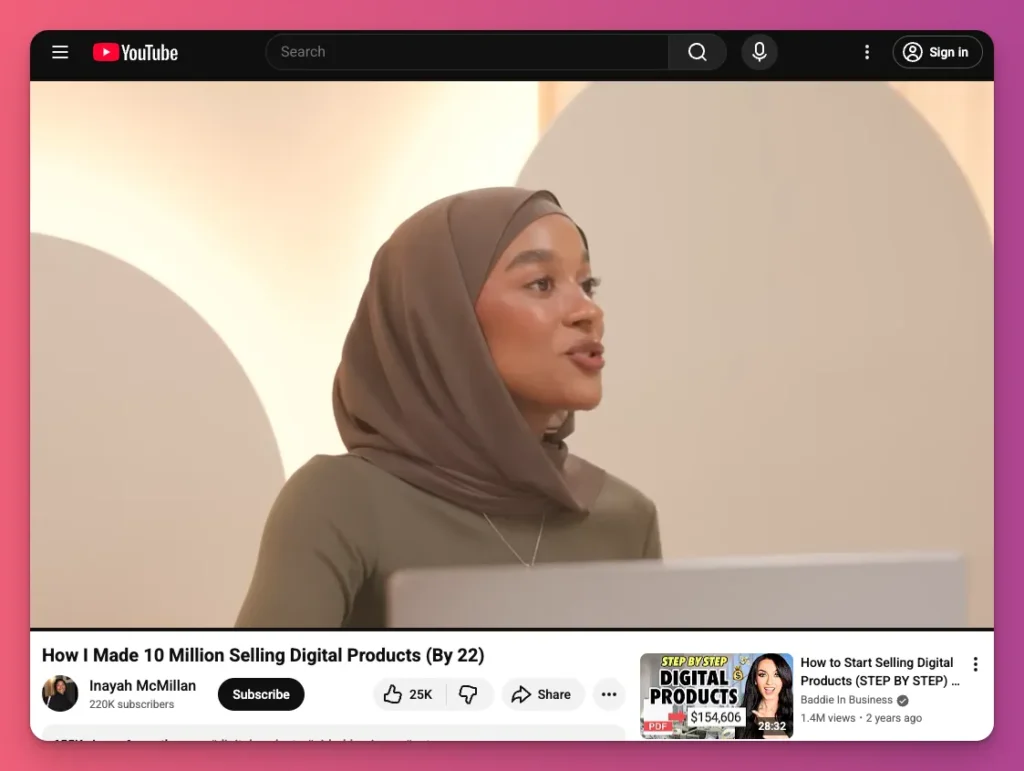
What do you see? They get views. Not like entertainment videos from MrBeast, but people are there looking for information to help them.
So, if you have ideas for side hustle videos but hesitate, this might be your sign to start. This is one of the ideas for how-to videos that can be a part of your channel.
Your tutorials can show viewers how to earn beyond platform ads, through affiliate marketing, sponsorships, brand deals, memberships, digital products, and merchandise.
Examples:
- 5 EASY Passive Income Ideas for Content Creators (that made me $114,000)
- How To Make Money As A Content Creator In 2025 (Step By Step)
- 5 Ways to Make Money as a Small Creator in 2025 (with real numbers)
4. AI Tool Tutorials
- Difficulty: Low-Medium
- Content Length: Short-form (10–15 min) for single features; mid-form (20–30 min) for full setup; long-form (40–50 min) for advanced automation and integrations.
AI skills are in high demand as schools and workplaces start using them more. And it’s not just guesswork. The global AI market is expected to hit $320 billion.
So, don’t you think these AI tutorials could be a great idea for how-to videos? For sure. You can be the one showing people that AI isn’t replacing their creativity, but helping it.
If you’ve been using AI tools for a while, you can help clear up the confusion, bust some myths, and show people how to get what they want from it.
If you’re just starting out, share your journey, including mistakes, “aha!” moments, and workflows that saved you time.
Examples:
- The ULTIMATE ChatGPT Tutorial: Crash Course for Beginners
- How to Create AI Generated Images from Text with MidJourney – Beginners Tutorial
- Claude Tutorial: The AI Tool Creators Need
5. How to Start a New Channel
- Difficulty: Low
- Content Length: Short-form (8–12 min) for single-platform setup; Mid-form (15–25 min) for multi-platform strategy
Thinking about making tutorial videos your main content for your channel? Why not share your journey and experience? One of the great ideas is to show how you started your channel.
In your tutorial videos, you can tell them how you felt when you first launched your YouTube or TikTok with zero followers, and give tips on how you grew it into what it is now.
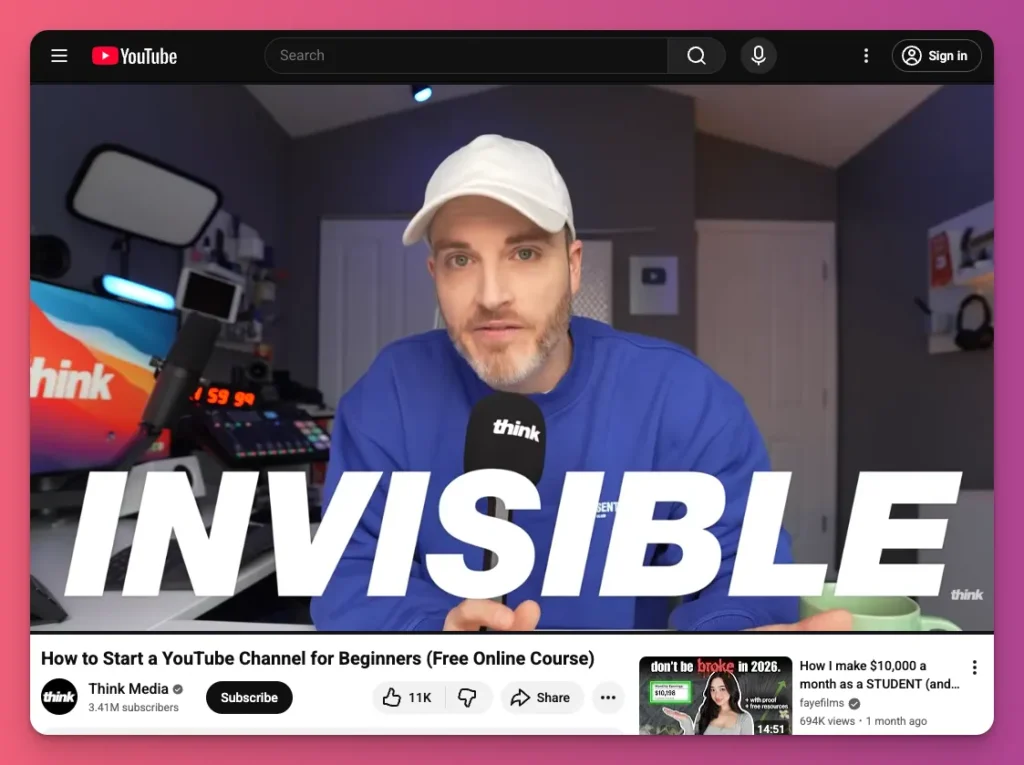
You can also show how you picked your niche, set up your platform, planned your content, and adapted to algorithm changes to get more views and followers.
It might seem unimportant to you, but for new YouTubers or content creators, this information is very helpful to get started.
Examples:
- How to Start a YouTube Channel for Beginners (Free Online Course)
- How to Start a TikTok Channel from Scratch (And Get Your First 1000 Followers)
- How to Grow a TikTok Account from SCRATCH (0 Followers Needed!)
Related: How to Make a YouTube Video for Beginner
6. Talking in Front of the Camera Tutorials
- Difficulty: Low-Medium
- Content Length: Short-form (5–10 min) for tips like body language. Mid-form (15–25 min) for tips like handling nervousness. Long-form (45–90 min) for on-camera coaching on soft skills
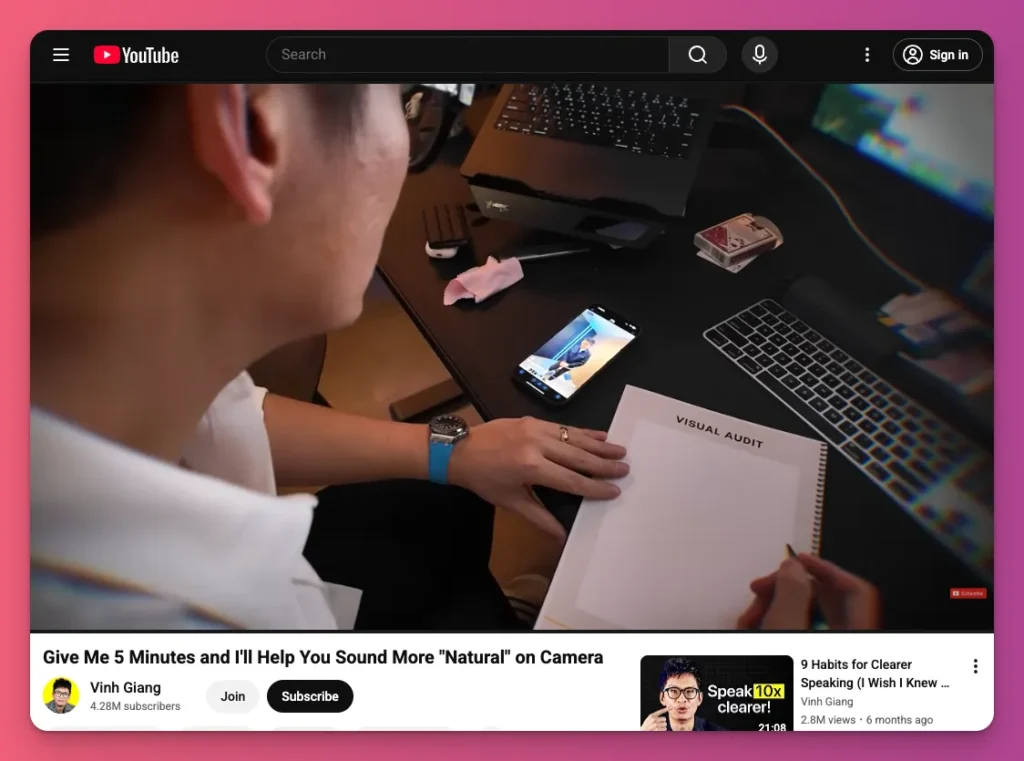
Ever wonder why videos like “Give me 5 minutes and I’ll help you sound more natural on camera” get almost 100,000 views in just six months? It’s because these how-to videos help a lot of people.
If you look at the data, over 54.9% of creators now work full-time in content creation. Yes, more and more people are jumping into the creator world.
The global creator economy is growing, and that’s why more viewers are looking for this kind of info to get started with videos. They want to become a content creator themselves.
In your video, you can cover topics like how to handle nervousness, how to maintain good posture, how to vary your pace, change your tone, and how to use pauses strategically.
Examples:
- Talk to the Camera Like a Pro (Even If You’re Shy)
- Give Me 5 Minutes and I’ll Help You Sound More “Natural” on Camera
- How to Talk to the Camera (6 Tips)
7. Audio Recording Tips and Tricks
- Difficulty: Low-Medium
- Content Length: Short-form (8-12 min) for topics like mic placement; Mid-form (18-30 min) for setup guides; Long-form (45-90 min) for multi-track, engineering, mixing).
You know, people can put up with blurry pictures or okay video, but when it comes to sound, they expect it to be good.
That’s why recording audio is a big deal, especially if you’re trying to make awesome content.
So, if you’re a content creator and you know how to record good audio, why not share those tips to help others record better sound? This is still a great idea for how-to videos in 2026.
You can use this idea to create any kind of content about audio recording tips: picking a dynamic or condenser mic, getting your mic placement just right, or managing your audio levels.
Examples:
- How to Record a Podcast: Everything You Need to Know
- How to Improve Your Podcast Audio: Tools, Tricks, and Best Practices
- Setting Up The PERFECT USB Mic – Streaming Masterclass #03
Related: Podcast Topic Ideas
8. Vlog with Storytelling
- Difficulty: Medium
- Content Length: Short-form (8–12 min) for topics like Story Circle, B-roll types. Mid-form (20–35 min) to explore complete storytelling. Long-form (60–120 min) delves into professional filmmaking
Think again if you thought making a “day in my life” video would be as simple as tapping the record button. The real reason that kind of video gets people hooked is the storytelling.
But not everyone who makes vlogs knows how to really draw people in with their stories. That’s why this is one of the great how-to video ideas to try. And content creators like Jeven Dovey did this.
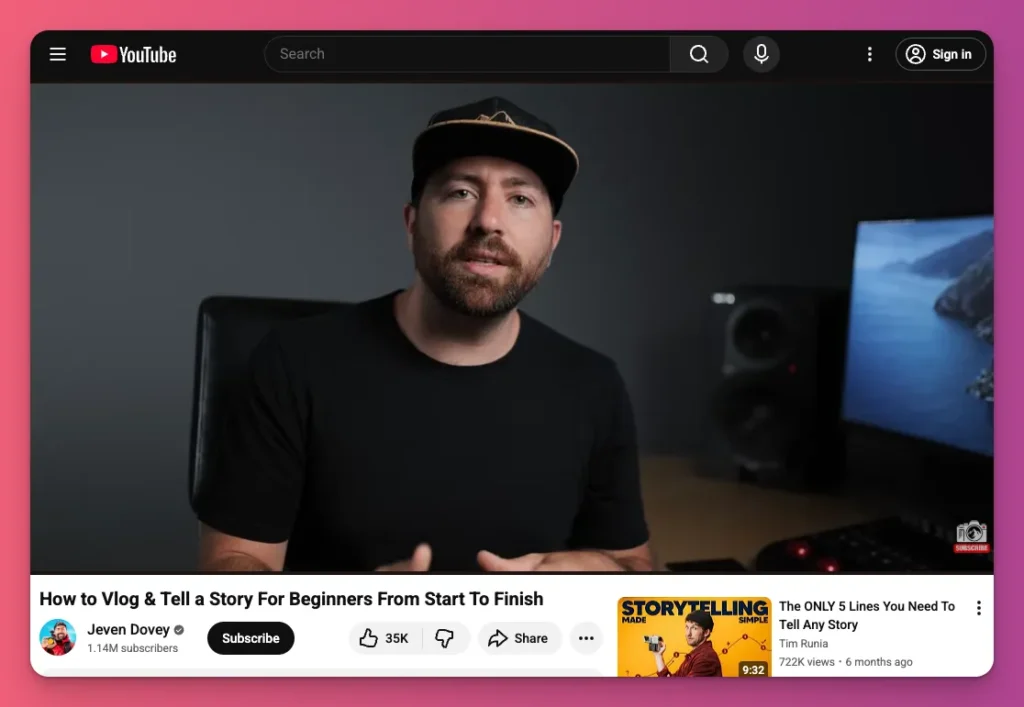
You don’t have to just jump into the practical things like other tutorials. You should play around with the theory too, like how storytelling works with the 5-act structure.
And you’ll want to teach them how to handle the basics of narrative and give tips for creating awesome moments at each stage.
Examples:
- How To Vlog and Be a Better Storyteller
- How To Vlog & Tell a Story For Beginners From Start To Finish
- How to build a STORY IN TRAVEL VIDEOS – Storytelling
9. Algorithm Hacks
- Difficulty: Medium-High
- Content Length: Short-form (8–15 min) for single algorithm updates, Mid-form (20–35 min) for platform masterclasses, Long-form (45–90 min) for advanced algorithm courses.
If you’re thinking about how-to video ideas for starting a YouTube channel, you could just make one video for that.
But if you’re looking at algorithm hacks for YouTube, TikTok, or Instagram, you can actually create a new piece every year or even month.
That’s because algorithms change, and you can share how you handle those changes or the best ways to deal with them.
YouTube just dropped a new Trust Score metric, Instagram let you customize your feeds, and TikTok is now all about engagement velocity, not just volume. These are all awesome ideas you can turn into killer content for your channel.
Examples:
- Small YouTube Channel? Make These Changes To GROW
- The NEW Youtube Algorithm Hack Blowing Up Small Channels
- How To Go Viral on TikTok EVERY TIME YOU POST in 2025
10. Beginner Guides for Specific Games
- Difficulty: Low-Medium
- Content Length: Short-form (7–10 minutes) for quick tips; Mid-form (15–20 minutes) for full first-step guides
You really can’t go wrong with beginner guides, especially on YouTube. Whether it’s gaming, beauty, education, or anything else.
If you’re looking for how-to video ideas, beginner guides are great for teaching new players the basics. Things like core mechanics, what to focus on first, and the first steps to take in a game.
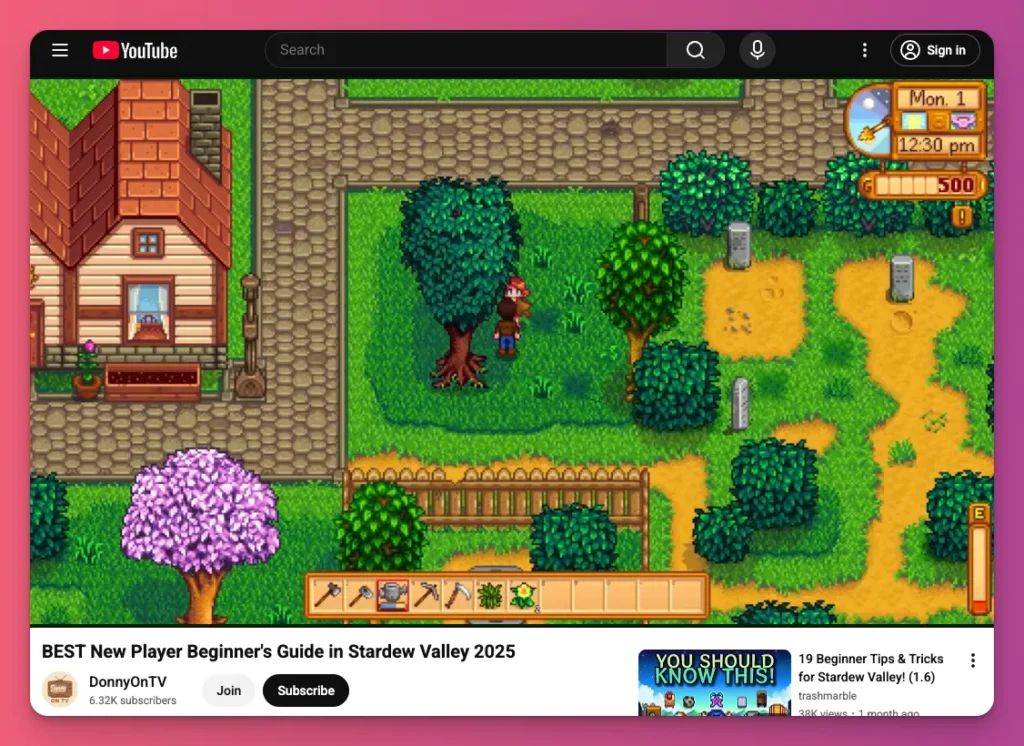
New players often feel overwhelmed and don’t know where to start. Games like Stardew Valley don’t explain NPC birthdays, and Helldivers 2 assumes you already know squad synergies.
You can fill those gaps with clear, simple first-steps guides.
Examples:
- BEST New Player Beginner’s Guide in Stardew Valley 2025
- Helldivers 2 Starter Guide for Beginners / New Players
- 13 Clash Royale Things You’re Doing Wrong
11. Aim Improvement Tutorials
- Difficulty: Medium-High
- Content Length: Mid-form (7–10 min) for routine breakdowns; Long-form (15–20 min) for comprehensive fundamentals
This is a popular “how-to” video idea for 2026. It’s all about helping your viewers level up their mechanical skills in certain competitive games.
Aim training tutorials can be a quick fix for common aim struggles in shooters. Make your video a step-by-step guide with warm-up routines and key drills like tracking, flicking, and snapping.
To add authority, include how to set the best sensitivity and how to use these skills in ranked games. Use screen recordings to explain why certain drills work, and what mistakes waste time.
Many creators try aim training videos but fail without a clear plan. If you understand the mechanics, sharing a solid guide that links practice to game results
Examples:
- The BEST Valorant Aim Training Routine: WPV Benchmarks + Playlists
- The ULTIMATE Aim Training Guide! (NO BS!) – Valorant
- Zero to Hero. A Valorant Aiming Guide
12. Game-Specific Build Guides
- Difficulty: Medium-High
- Content Length: Mid-form (8–12 minutes) for single build breakdowns; Long-form (20–30 minutes) for detailed multiclass guides
If you prefer building over aiming in games, then think about creating build‑guide tutorials.
A build guide shows how to craft a top‑tier character: which stats to allocate, the weapons and gear that match those stats, how abilities synergize, and the optimal leveling path.
Why make these how‑to video ideas a reality? Many players spend ten or more hours only to find that their characters are ineffective.
So, as a tutorial creator, you can show why some stats work, how gear levels up, and what combos matter. This draws a large audience seeking validation and optimization shortcuts.
Examples:
- Elden Ring Intelligence Build – How to Build a Carian Cleaver Guide
- Ultimate MULTICLASS Builds For EVERY Class In Baldurs Gate 3
- Mage Minion Necromancer 2.0! Updated Endgame Build Guide Diablo 4 Season 9
13. Ranking Up Tutorials
- Difficulty: Medium-High
- Content Length: Mid-form (12–15 minutes) for tier-specific advice; Long-form (20–30 minutes) for full rank progression strategies
“Is the rank thing broken? I’m so annoyed with this game.” or “How long did it take you to see your rank go up?”
These are some questions gamers ask their friends about climbing up and pushing rank. And this is your chance to fill that gap. It could be one of your ideas for a how-to video.
Ranking-up tutorials guide competitive players to move through tiers by focusing on the skills they need to improve. They point out common mistakes like poor map awareness, and ranked anxiety.
Examples:
- How to rank up so fast it feels illegal
- HOW TO CLIMB EACH RANK & ESCAPE YOUR ELO – League of Legends Season 13
- My Advice for Every Rank in Overwatch 2
14. Settings Optimization
- Difficulty: Low-Medium
- Content Length: Short-form (8–12 minutes) for single-game settings; Mid-form (15–20 minutes) for full hardware and software optimization
Have you played Valorant and felt like your sensitivity is holding you back? Or maybe you’re trying to get better aim, but it’s more about your setup than your skills?
Many gamers face the same issues when setting up their game or PC. So, you can help them and make content to help them with settings optimization.
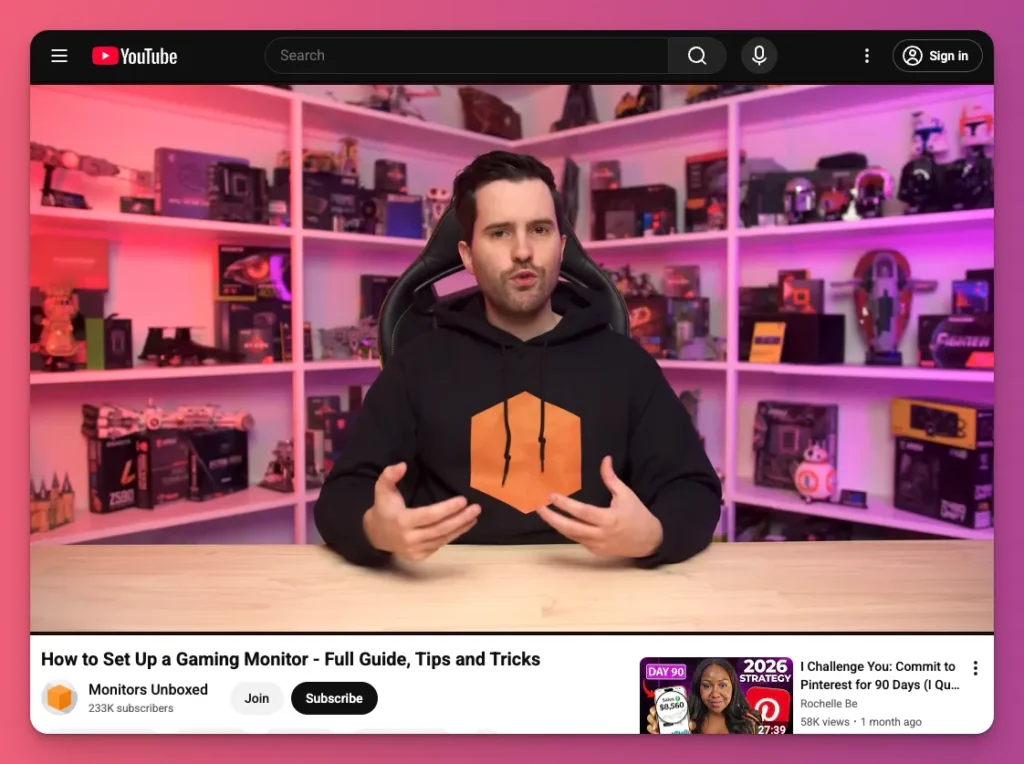
With these tutorials, you can show you how to tweak sensitivity, mouse polling rate, graphics, HUD layout, and key binds so you can perform your best.
If you’re a VTuber, you can teach how to use Spout2 for zero‑latency capture and set Windows Game Mode so your tracking never stutters when you need it most.
Examples:
- The BEST SENSITIVITY SETTINGS for Valorant (In-Depth Guide) | RADIANT COACH
- BEST SETTINGS TO CLIMB FOR SEASON 15 IN LOL
- How to find your PERFECT Sensitivity and BEST Settings for VALORANT!
Related: vTuber Content Ideas
15. PC Building & Hardware Setup
- Difficulty: Low-Medium
- Content Length: Long-form (40–50 min) for full build walkthroughs; Mid-form (15–25 min) for component guides; Short-form (8–12 min) for peripheral selection guides
If you would rather just build hardware than mess with settings, this video idea is for you. You could show people how to build a custom PC from scratch. And this applies to other hardware.
You would teach them how to put all parts together, make sure accessories work great, manage cables well, and power on the computer for the first time.
This is a great idea because what is easy for you can be totally overwhelming for beginners. It makes them wonder if it’s really hard and why they keep messing up.
Examples:
- How to Build a Budget Gaming PC in 2025 – Best Step-by-Step Guide
- How To Build a Gaming PC in 2025 – Step-By-Step Guide!
- How to Build a Gaming PC in 2026! Full Tutorial w/ Assembly, BIOS, Drivers & Windows
Tutorial Video Ideas: A Wrap Up
Building a YouTube channel or TikTok account can feel like a marathon. But you’ve come up with tutorial video ideas, which gives you a huge head start.
Productivity hacks, side hustle tips, how to rank up, or PC builds? Those are great how-to video ideas. Just make sure you start with one that aligns with your expertise and current equipment.
Don’t worry about being perfect. Just focus on making the best videos you can and improving over time. Once you gain an audience, you can explore ways to monetize your content.
Using built-in features like Ads or Super Thanks is great. But if you join Gank, you can make money from your content right away through fan donations, memberships, and selling merch. Interested?
FAQ about Tutorial Video Ideas
How do I come up with new video ideas consistently?
There are many of ways to find inspiration. Pay attention to questions your audience asks in comments and messages. Also, check out what’s trending in your niche on YouTube search and trending pages. Plus, spend 15 minutes each day brainstorming to keep ideas coming.
What’s the ideal length for a how-to video?
There’s no one-size-fits-all. You need to match the length to the platform and topic. For YouTube long videos, 8-15 minutes is best. Shorts and Reels should be 15-60 seconds. Cover the topic well without dragging it out. It’s better to be short and engaging than long and boring.
Do I need expensive equipment to start?
No, you don’t need much. Just start with what you have. A smartphone shoots great videos nowadays. And a $30-50 USB mic works fine. Just make sure to prioritize clear audio and good lighting over camera quality. Upgrade gear as your channel grows and you earn money.
How often should I post tutorial videos?
Consistency beats frequency every time. Posting 2-3 good videos a week work better than daily uploads that burn you out. The algorithm prefers channels that stay consistent over months, not those who spam then quit.