

YouTube demonetization can end your creator income overnight. It suddenly removes your main revenue stream, leaving you to wonder what went wrong.
So, what does demonetized mean on YouTube, and why is this something many creators find stressful and unfairly unpredictable?
This guide explains why YouTube demonetizes content, how to handle it, and what steps you can take to avoid it. Let’s get started.
Key Takeaways
- YouTube demonetization means ads stop showing on your videos, so you make nothing while they stay up. It can hit one video or your whole channel overnight without warning.
- For creators in 2026, the biggest risk isn’t just topics anymore — it’s authenticity. YouTube is cracking down harder on AI-generated, reused, and mass-produced content than ever before.
- Yellow icons (advertiser violations) can be appealed. Red icons (copyright claims) mean you need to edit.
- Copyrighted music is the main cause of demonetization for all creators. Just five seconds of unlicensed song can trigger Content ID claims, putting all revenue on hold until resolved.
- Relying only on YouTube ads won’t cut it. Smart creators diversify. Memberships, sponsorships, and income outside YouTube help protect against algorithm changes and demonetization.
YouTube Demonetization: What Does It Mean?
YouTube demonetization is when YouTube doesn’t pay you from the ads on your videos (or sometimes no ads show up at all). So, you can’t earn money from AdSense.
It happens if your video breaks YouTube’s advertiser-friendly or community guidelines. And demonetization can affect just one video or your whole channel.
For creators who make money on YouTube and rely on ad revenue, demonetization is a big hit.
Think about it: you spend weeks making videos, paying your team, buying equipment, hoping to earn from ads. Then, demonetization happens, and your main income’s gone.
It can happen to any creators. Gaming channels with M-rated content, vloggers cursing, ASMR with bad audio, even educational videos showing violence.
But YouTube gives you a heads-up. They use a color-coded icon system so you can see right away which videos are earning and which aren’t.
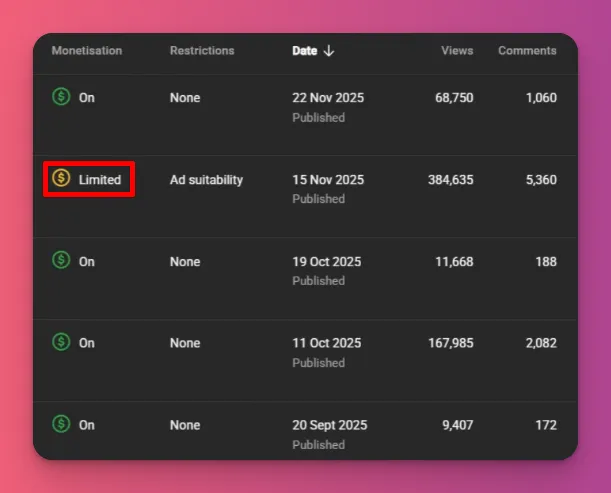
- A green dollar icon means your video is fully monetized. All ad types run normally, and you earn full revenue from every view. This is what every creator wants.
- A yellow dollar icon means limited or no ads. YouTube flagged your content for violating advertiser-friendly guidelines. Your earnings could drop by 70-90%.
- A red dollar icon means no monetization. This is usually due to copyright claims where the video is ineligible for earnings, or revenue is held in escrow during a dispute.
You can check these icons anytime in YouTube Studio under the Content tab, next to your videos.
Also, even though YouTube now has manual reviews to better understand the context, their first scans still focus on safety and might flag things like bad language, or controversial YouTube topics.
And if you doubt YouTube demonetization is real, check out this list of demonetized channels to see the lessons learned:
- Steven Crowder (2019) — Demonetized for homophobic and racist harassment of Vox journalist Carlos Maza. Remonetized in October 2021 after promising policy compliance.
- SSSniperwolf (October 2023) — Temporarily demonetized after doxxing Jacksfilms by posting his house photos on Instagram.
- Russell Brand (September 2023) — Fully suspended from ad revenue following sexual assault and rape allegations.
- Logan Paul (2018) — Removed from Google Preferred and temporarily demonetized after posting a suicide victim’s video in Japan’s Aokigahara forest.
- PewDiePie (2017) — Lost Disney partnership and “Scare PewDiePie” after posting antisemitic content.
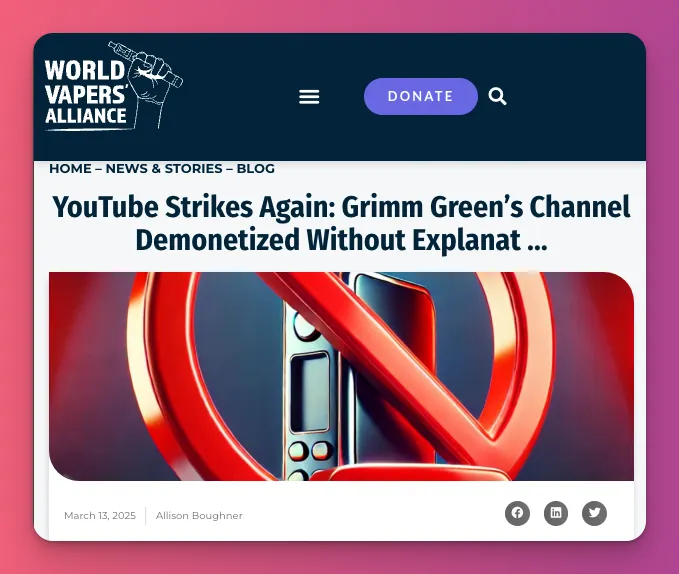
- Grimm Green (2025) — A 16-year vaping education channel was demonetized without explanation, despite following guidelines.
Why Does YouTube Demonetize Videos?
Some creators think YouTube demonetizes randomly, but it’s not. There are actual reasons that cause the system to strip monetization from your videos or your whole channel.
1. Advertiser-Friendly Content Violations
This is the biggest problem with demonetization and affects many creators. They get demonetized because YouTube thinks their video isn’t suitable for ads.
These rules are there to make sure ads only run on videos brands feel comfortable with. So, if your content seems too risky for brands, it might get limited or no ads.
So, if you see yellow icons on your monetization label, it’s a warning. So, what triggers yellow icons:
- Frequent use of strong profanity throughout the video or in titles/thumbnails.
- Graphic violence, blood/gore, realistic combat footage
- Nudity, sexual situations, revealing clothing, suggestive thumbnails
- Jump scares, extreme reactions, disturbing imagery, graphic injury
- Pranks causing harm, risky stunts without disclaimers, promoting dangerous behavior
- Discrimination, slurs, attacks on protected groups
- Politics, religion, sensitive social topics (algorithm risk-averse)
- Recreational drug use, smoking, weapon promotion
The problem is the algorithm can’t always get the context. A history video about violence might be wrongly marked as horror gore.
2. Community Guidelines Strikes
Community Guidelines protect everyone from harmful content on YouTube. They focus on user safety, not brands. Breaking the rules results in strikes, not just demonetization.
What triggers strikes:
- Hate speech, harassment, bullying, cyberbullying
- Spam, scams, fake giveaways, deceptive practices
- Dangerous/harmful content encouraging violence or self-harm
- Misinformation (especially health, elections, public safety)
- Impersonation, fake accounts
These are serious. Three strikes within 90 days mean permanent channel termination. YouTube will remove the video and block you from uploading new content.
3. Copyright Violations
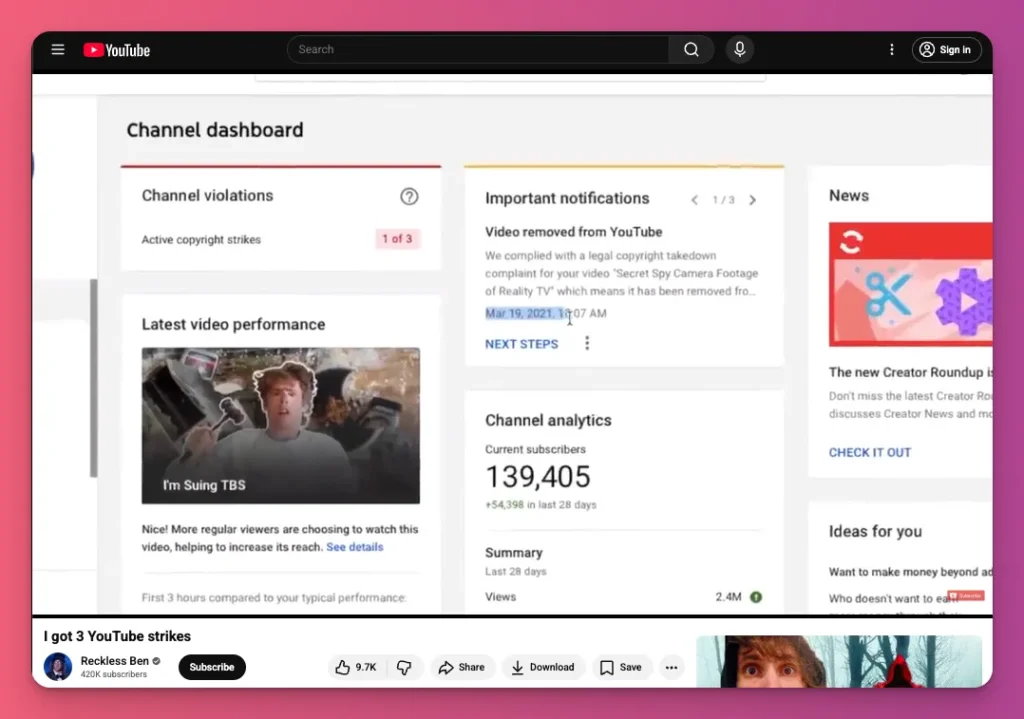
We can say that copyright issues are the main reason creators get demonetized on YouTube. This is where most creators slip up.
On YouTube, you need to own or have permission for all the music, videos, and sounds you use. If someone with copyright says your video, they can take the money from ads or block the video.
Common copyright traps:
- Using copyrighted music (popular songs, movie soundtracks, trending TikTok audio)
- In-game music from radio stations (GTA V, Fallout, Saints Row)
- Licensed soundtracks in games (FIFA, NBA 2K, Tony Hawk, Rocket League)
- Stream playlists (Spotify/Apple Music playing during live streams)
- Background music in public spaces (vlogging in malls, cafes, restaurants)
- Stock footage, images, video clips without licenses
- Movie/TV show clips without fair use justification
YouTube handles copyright with three layers: Content ID, the Copyright Match Tool, and manual strikes.
Content ID checks your video against a music label database. If it finds a match, it flags your video. A copyright strike is a formal DMCA takedown. For example, if you use a three-minute Beyoncé song in a gaming compilation video.
4. Reused Content
YouTube wants you to get creative. If you just use other people’s videos all the time, you might get demonetized. They don’t like content that doesn’t have its own value.
And in July 2025, they became more aggressive. They now call it inauthentic content. They stated: “This type of content has always been ineligible for monetization under our existing policies,…“
To get paid, you need to be eligible and join the YouTube Partner Program (YPP). It’s for creators who make original videos. If your channel makes low-effort content a lot, it breaks that trust. Makes sense, right?
So, what gets flagged:
- Compilations without original commentary (just gameplay + music)
- TikTok/Instagram Reels reposted to YouTube Shorts
- “Top 10” lists with stolen footage and minimal narration
- Clip farming (using others’ Twitch highlights without permission)
- Reaction videos with no transformative commentary (just watching silently)
- Looping content (rain sounds, white noise, nature scenes on repeat)
- Same video uploaded multiple times with different titles
5. AI-Generated Mass-Produced Content
YouTube is cracking down on low-value AI content. They are demonetizing more videos as the platform fills with cheap, mass-produced AI-made clips.
Think about it: hundreds of almost identical videos are made every week with hardly any effort. They make money from ads, but actual creators are struggling to compete.
And if you’re an advertiser, you don’t want your ads showing up next to low-effort spam, right?
What’s getting demonetized on YouTube:
- AI voiceovers on stock footage without original commentary or transformation
- Automated “Top 10” videos generated by AI scripts and generic templates
- ChatGPT scripts read by AI voices without human editing or original insights
- AI-generated gameplay commentary where there is no human creative input
- Mass-produced videos created by AI tools with minimal human intervention
- Repetitive text-to-speech content that lacks educational or narrative value
Don’t worry, YouTube can tell the difference between AI assistance and AI automation. If there’s real human effort, it’s fine. But automated content farms get demonetized if they violate YouTube’s AI rules.
6. Clickbait
Misleading thumbnails and titles can get videos demonetized, even if the content itself is fine.
You heard that right. Even with perfect, family-friendly content, if your title promises more than your video provides, you’re breaking this rule.
Unlike broad policies on reused and AI content, the clickbait crackdown is narrower but more impactful in some cases.
What triggers violations:
- Misleading thumbnails (fake reactions, false promises, misleading images)
- Clickbait titles that don’t match video content (“I GOT ARRESTED” when you didn’t)
- Using fake logos/branding (fake VEVO, fake verification badges)
- Sensationalized titles designed to deceive (“YOU WON’T BELIEVE WHAT HAPPENED” with nothing noteworthy)
- Thumbnails showing content not in video
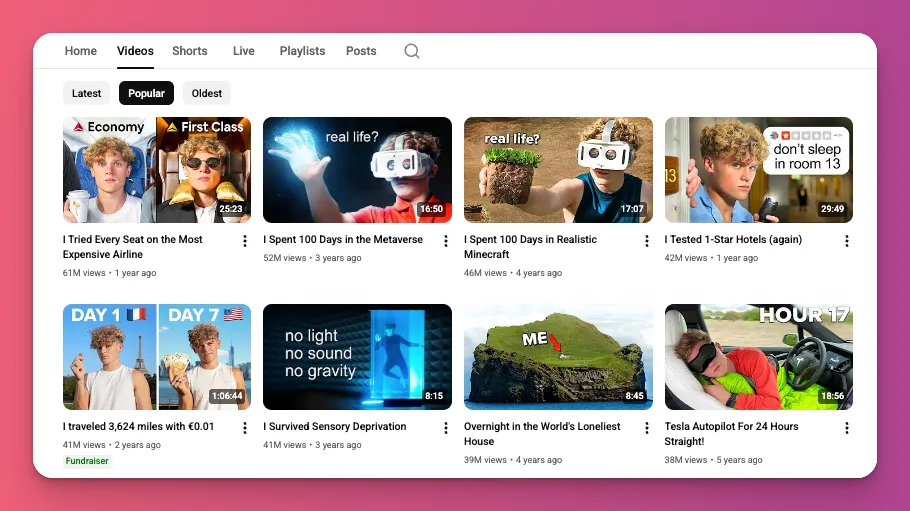
Be creative, like Ryan Trahan, but don’t go overboard. Make sure your audience knows your work is real.
7. Kids’ Content Violations
The Children’s Online Privacy Protection Act (COPPA) requires creators to clearly label their content. Failure can lead to demonetization and fines up to $53,088 per violation.
In late 2025, Disney got hit with a $10 million fine for labeling kids’ videos as “Not Made for Kids” that let YouTube show targeted ads to kids without parents knowing.
And “Made for Kids” isn’t just for cartoons. If your content mainly appeals to kids under 13, it’s kid-directed.
This includes toy reviews, unboxing, educational videos, nursery rhymes, kids’ songs, gaming, and bright designs with popular characters. Saying most viewers are adults isn’t enough.
8. Channel Inactivity
Inactive channels can lose monetization because YouTube prioritizes creators who are active and engaged with their community.
Here’s how it happens:
- No uploads or Community Posts for over 6 months
- Channel drops below the watch hour or subscriber threshold while remaining inactive
YouTube mostly enforces the 6-month inactivity rule and might warn you if you’re inactive too long. If you’re taken out of the YPP, you’ll need to meet the requirements again and reapply.
But don’t worry—your monetization doesn’t disappear just because your watch hours dropped below 4,000 in the past year.
Related: YouTube Channel Ideas
9. Demonetization by Mistake
YouTube’s automated system often makes mistakes and flags good content. Don’t always think demonetization is correct.
40% of appeals to get demonetization reversed are successful. That means almost half of the demonetizations are wrong. So yes, YouTube’s bot isn’t perfect.
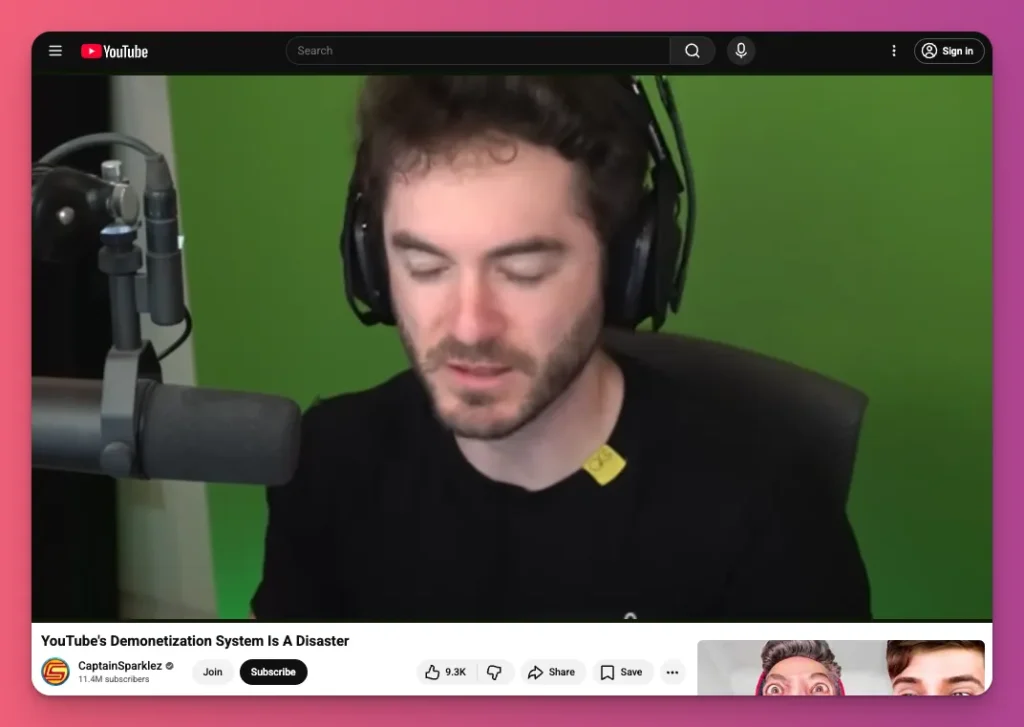
These errors come from a flaw in YouTube’s system. The algorithm is overly cautious about “brand safety,” flagging anything risky to protect advertisers.
How to Get Your Monetization Back
So, if your video ends up being demonetized on YouTube, what should you do?
1. Identify What Went Wrong
The first thing you need to do is find out what went wrong. You can’t fix, appeal, or rebuild trust if you don’t know why YouTube flagged your video. Each violation requires a different fix.
The identification process has three steps: check icons in YouTube Studio, review your YouTube emails, and manually look at the flagged content.
Here’s what you need to do:
- Check YouTube Studio for icons. Go to studio.youtube.com, click Content, and look for the dollar sign icons in the monetization column. Use the filter at the top—select Monetization > Limited or Not monetized—then click Apply to find problematic videos.
- Check your email for notifications about the “Partner Program.” Review both inbox and spam for messages explaining why your videos were demonetized. Look for an appeal link or button.
- Review your flagged videos. Watch each one fully, checking for bad language, copyrighted material, misleading info, or other issues.
- Compare your content with YouTube’s policies. Visit YouTube.com/creators and navigate to “How Things Work” > “Policies & Guidelines” to see if you might have broken any rules.
- Create a simple document. List your video titles, the type of demonetization, how many days you have to appeal, and any notes.
2. Identify the Scope
Demonetization happens in two ways: videos get flagged but the channel stays in the Partner Program, or the entire channel is suspended with all videos removed.
Knowing which helps you decide to fix videos or start over. A common mistake is appealing a demonetized video when your whole channel is suspended.
Here’s what you need to do:
- Check your email for the suspension type. If it says, “Your channel has been suspended,” it’s channel-level. If it mentions “Limited monetization” or “Not eligible,” it’s video-level.
- Open YouTube Studio and filter for “Limited” or “Not monetized” videos. If some have red or yellow icons and others are green, it’s video-level. If all are red and the “Earn” tab shows you’re not in the Partner Program, it’s channel-level.
- Look at your monetization features. If Super Chat, memberships, and earnings are visible, it’s video-level. If they’re missing or grayed out, it’s channel-level.
3. Fix Misleading Metadata
Misleading metadata is one of the few issues you should fix right away without even appealing. The fix is simple: just make sure your metadata matches what’s actually in your content.
Removing fake game update claims, false leaks, or overhyping drama that didn’t happen in your last vlog? Yes, those things.
Here’s what to do:
- In YouTube Studio, go to the flagged video’s details. Click Content, pick the video with the yellow icon, then hit Details to edit it.
- Change the title so it matches what’s actually in the video. Get rid of all-caps clickbait, crazy questions like “Is This Real??,” and urgent words like “URGENT.”
- Upload a thumbnail that shows what the video’s about. No fake shocked faces or misleading images—just real footage or visuals related to the topic.
- Fix the description so it’s accurate. Remove any false claims or exaggerated language, and make sure the first few lines clearly sum up the video.
4. Fix Copyright Claims
Copyright claims are the most common cause of demonetization, but you can fix them without waiting for appeals.
You have three options to fix a claim based on your video’s importance:
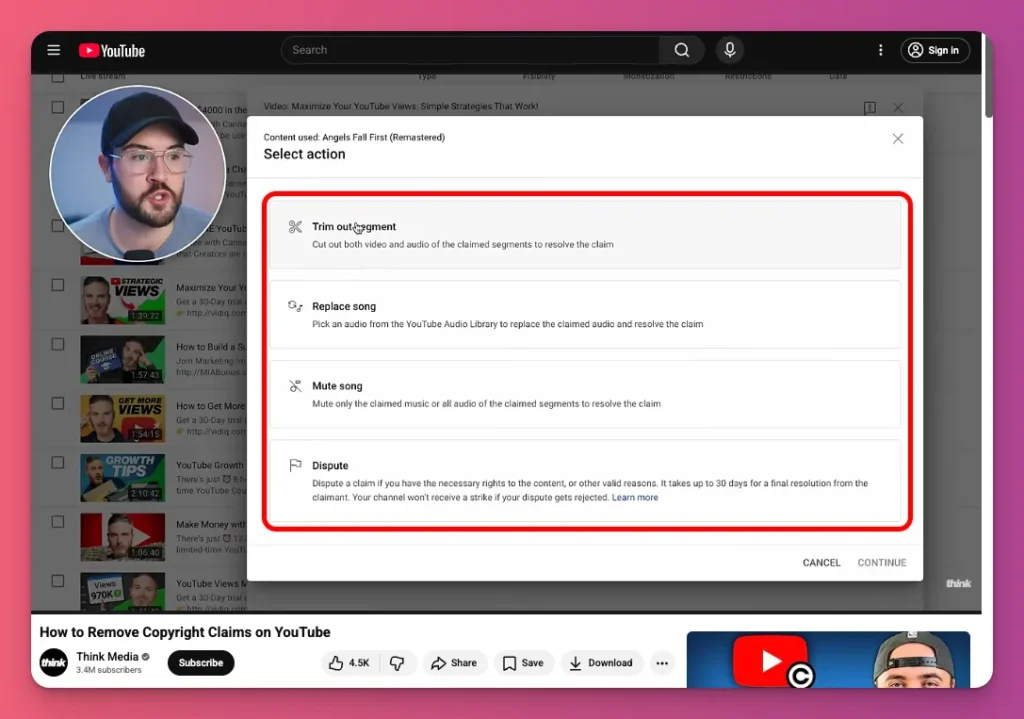
- Trim copyrighted part. In YouTube Studio, go to Content > Filter Copyright > See Details > Take Action > Trim out segment. It’ll cut the claimed part automatically.
- Replace copyrighted content. Download your video, add free music with editing software, then upload the new version. Or, go to Take Action > Replace song. YouTube’s Audio Library offers royalty-free music. Choose a track, preview it, and save.
- Mute claimed audio. In See Details, click Action > Erase Song. You can mute just the song or all audio.
5. Fix COPPA Violations
Fixing COPPA violations is simple. Just correctly label your content as “Made for Kids” or “Not Made for Kids.”
This is especially important for family vloggers like The LaBrant Fam and The Anazala Family.
So, what to do?
- Go to YouTube Studio, open your video’s audience settings. Click Content, select the video, then Audience. Choose the appropriate label.
- Select the correct label. For children’s content like toy reviews, choose “Made for Kids.” For mature content—profanity, sexual references—pick “Not Made for Kids.”
- Update all similar videos. Check and correct any mislabeling to prevent future issues.
6. Appeal Individual Videos
Sometimes, to fix YouTube monetization problems, you need to appeal specific videos. Do this for the ones with the yellow icon. That’s when they break the ad-friendly rules.
The flagging is automatic, but humans can review and override it if your content has a good purpose.
Here’s what you need to do in YouTube Studio:
- Find your flagged video under Content and click the yellow icon. A popup will tell you why it was flagged, like language or violence.
- Click Request Review and confirm your appeal. Check the box saying your video follows advertiser guidelines. That’s how you say the flag’s wrong.
- If you want, add a quick explanation of what your video’s about, under 100 words. For example, “Educational gameplay of M-rated game” or “Respectful news commentary.”
- Hit Submit Appeal and wait. YouTube reviews it in a few days and emails you their decision. If approved, your monetization comes back. If not, it’s final.
7. Delete Problem Videos
We get it, deleting videos you’ve worked hard on isn’t easy. But sometimes, it’s necessary to address YouTube demonetization.
If you appealed a yellow-icon video and YouTube said no, or if editing isn’t an option, leaving the video up can hurt your channel.
Every flagged video shows YouTube’s systems that your channel might have a pattern of violations. That can lead to demonetizing your videos or even getting your channel suspended.
Here’s what you need to do:
- Go to YouTube Studio, find the video, click the three dots, and choose Delete Forever. Confirm by typing the title. It’s gone for good, with all views and comments.
- Delete all similar videos that might cause the same violation. If you have multiple flagged for the same reason (like three violent gameplay videos), remove them all at once to break the pattern.
- Just keep posting on your channel like usual. Don’t delete everything. Only remove the videos that broke the rules.
8. Fix Entire Channel Suspension
When your channel gets suspended, you get demonetized on YouTube. This might be because it shows a pattern of AI content, reuse, Community Guidelines strikes, and more.
However, YouTube suspension isn’t permanent. Remove or heavily edit the content that caused it, then upload new, original videos showing you understand and follow the rules.
YouTube said: “When we review appeals, your channel will be assessed in its current state.”
Here’s what to do:
- Delete all videos that got your channel suspended, such as clip-farming, AI-generated, or anything that’s not advertiser-friendly. Be thorough so your channel looks clean.
- Upload 5-10 new, original videos that follow the rules. Add your own commentary, make human-made videos, or post safe content. Show YouTube you’re changing.
- Fix any AdSense or account issues mentioned in the suspension email. Verify your identity and update your info. Unresolved problems can stop you from getting monetization back.
9. Appeal Channel YPP Suspension
If you receive a suspension notice before it begins, you have 7 days to appeal, which will stop it. If you are already suspended, you have 21 days to appeal, but your earnings will remain paused.
The appeal process is simple but challenging. YouTube views suspensions as significant issues, not quick fixes, and will review your entire channel.
Remember, appealing means telling YouTube they made a mistake. Never delete flagged videos. They need to see the exact content. Deleting content prevents YouTube from reviewing it.
Here’s what to do:
- Check your email for the suspension notice and appeal deadline. Look for a message from YouTube titled “Your channel has been suspended…” which includes a link to the appeal process. Mark this date on your calendar.
- Record a Video Appeal. This is the most effective way to appeal. Your video must be under 5 minutes, unlisted, and show your face or voice. You must demonstrate how you film and edit your content to prove it is original and follows policies.
- Submit the video link in YouTube Studio. Go to the “Earn” tab, click “Start Appeal,” and paste the URL of your unlisted appeal video.
- Wait up to 14 days for YouTube’s decision. They will email you. If approved, monetization will resume within 30 days.
- If rejected, wait 90 days before reapplying. During this time, you should audit your channel and remove or edit any content that truly violates policies before you attempt to join the Partner Program again.
How to Avoid YouTube Demonetization
Knowing how to get your demonetized video back isn’t enough. You need to be proactive to avoid demonetization. And just memorizing the YouTube words list won’t cut it; you need to do this:
- Mute in-game licensed music — Games like GTA V and FIFA have licensed radio stations that trigger Content ID claims. Mute the music in your game settings and add royalty-free tracks later.
- Record multiple audio tracks — Use software like OBS to record game audio, your microphone, and background music on separate tracks. If a song gets claimed, you can remove just that track without losing your voiceover.
- Avoid public background audio — Never record in spaces with “background” music (like coffee shops or malls). AI can detect these songs even if they are quiet, resulting in shared revenue or blocks.
- Add transformation markers — For compilations, don’t just stitch clips. Use on-screen text, voiceover commentary, and chapter markers. YouTube requires “significant original commentary” to avoid the Reused Content flag.
- Be cautious with AI voices — If you use AI-generated voices, ensure they aren’t clones of real people. Under the latest policy, using an unauthorized digital replica of a real person’s voice can lead to an immediate ban.
- Disclose AI usage — Always use the “Altered Content” label in the upload flow if you’ve used generative AI to create realistic scenes or voices. Failure to disclose can lead to demonetization.
- Moderate your community — Use “Block Words” and “Hold for Review” in your settings. While you won’t get a strike for someone else’s comment, a toxic comment section can lead to your video being age-restricted, which kills ad revenue.
- Space out your uploads — Avoid uploading more than 3-5 videos a day that use the same template, music, or format. Mass-uploading similar content is now flagged as Inauthentic Content.
- Verify “No Copyright” music — Beware of YouTube channels advertising “Copyright Free” music. Many are scams that file claims later. Use the YouTube Audio Library or trusted services like Epidemic Sound.
Related: Can You Play Music on Twitch
Demonetized on YouTube: A Wrap Up
YouTube demonetization can hit anyone, but it doesn’t have to ruin your career. Know the rules, appeal quickly if needed, and keep creating content that follows them.
YouTube ads shouldn’t be your only income. That’s too risky. And creators who diversify recover faster from demonetization when it hits.
So, if you want multiple income streams from the start, you can join Gank. You can earn from fan donations, special commissions, merchandise sales, and more. Ready to boost your income?
FAQ About YouTube Demonetization
What does it mean to be demonetized on YouTube?
If YouTube demonetizes your content, you lose ad revenue due to perceived violations of advertiser, community, or copyright rules. You can request a review if you believe this was an error.
Why are YouTubers getting demonetized?
There are many reasons, including YouTube’s crackdown on clip compilations, AI-generated videos, and misleading thumbnails. New COPPA rules and advertiser pressure also played a role, often leading to sudden, unexpected actions.
What words will demonetize you on YouTube?
Triggers include words like “suicide,” “unalive,” drug names, religious/political phrases, slurs, and swear words. The system detects violations based solely on words.
Is YouTube really demonetizing AI content?
Starting July 2025, channels uploading over 10 identical AI-voiced videos weekly risk suspension. Famous YouTubers using AI for thumbnails or editing face less scrutiny than smaller channels relying only on AI.
Can you make a living off YouTube?
Yes, with diversification. Relying solely on ad income is risky. You can earn from ads, memberships, Super Chats, sponsorships, affiliate marketing, merchandise, and off-platform income, like Gank. Top creators often make more from sponsorships and memberships than ads.