




You’re not here for just YouTube algorithm talk, right? You’re looking for answers as you see your views dropped, your reach slowed, or what used to work last month isn’t working now.
So, you want to know what the YouTube algorithm for views has changed and what matters now.
Well, this article isn’t promising instant wins. But, we’ll go through the ranking factors YouTube uses and the tactics that help you get those views back. If that sounds good, then read on!
Key Takeaways
- The YouTube algorithm is about personalized recommendation. It starts with subscriber tests, satisfaction analysis, patterns recognition, and distribution if signals are strong.
- YouTube now prioritizes “Valued Watch Time” and “Satisfaction Signals” over raw view counts, focusing on whether the time felt well-spent rather than total minutes watched.
- Retention is the new standard. YouTube rates videos by how they stack up against similar lengths.
- YouTube shows uploads to a small test group. High click-through and strong early retention trigger expansion. Low engagement slows it. The first 48 hours are vital.
- YouTube’s AI profiles your ideal viewer by patterns. And niche clarity matters. Stick to the same topics, vibe, and metadata helps YouTube target the right audience, speeding distribution.
What Is the YouTube Algorithm
The YouTube algorithm is a matchmaking system that analyzes viewer behavior, including engagement and watch time, to serve up content to audiences most likely to watch and engage.
This system is designed to guarantee viewer satisfaction by delivering the right content but also to help content creators understand what is most relevant to their specific audience.

Under the hood, the system uses countless parameters that they call a Recommendation System. And the system is evolving, moving beyond early metrics like view counts.
As a proof, while the Trending page remains a broad-interest surface, the primary recommendation engine now prioritizes personalized relevancy and individual viewer satisfaction.
Not to mention that YouTube now prioritizes Satisfaction Signals like survey results and Valued Watch Time over raw duration alone.
Yes, YouTube’s algorithm has changed a lot. When you’re trying to boost your views, don’t guess. Check the latest algorithm updates and how it works today.
For example, keyword matching matters, but avoid stuffing. The algorithm doesn’t care if you say “YouTube monetization” fifty times or you made the content with the best software for YouTube.
It looks for the topics, subjects, and people to understand what your video is about.
Are you new to YouTube? No worries. The algorithm treats newcomers and established creators the same.
Related: How Instagram Algorithm Works
How Does the YouTube Algorithm Actually Work?
It works differently for each content type on YouTube. But if you want to focus on the personal recommendation, it goes through these steps:

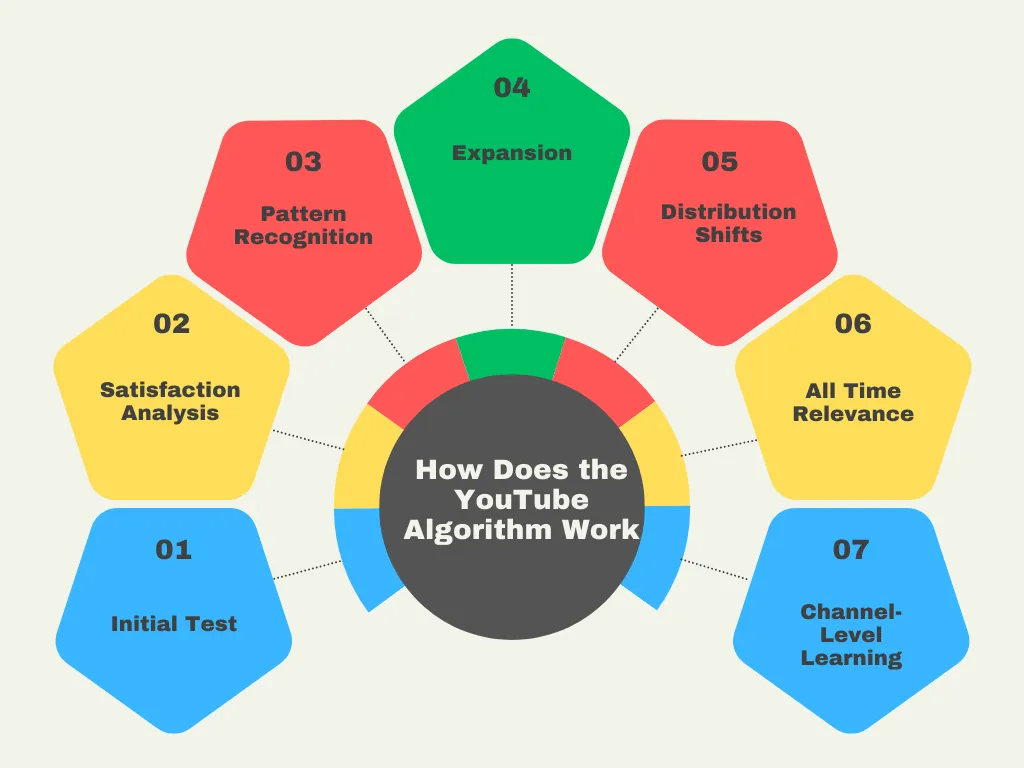
1. Initial Test
When you upload a video, YouTube doesn’t show it to everyone at once. It’s shown to a small test group—recent subscribers and people matching your channel demographics.
The algorithm watches early reaction. High click-through and strong initial retention signal quality boost it, while low engagement slows it. First impressions matter, but YouTube keeps reassessing.
2. Satisfaction Analysis
Your test audience watches. Some stay to the end; others drop out at 30 seconds and click “Not Interested.”
Satisfaction and engagement signals matter more than raw view counts. If the signals are strong, YouTube pushes the video to broader audience clusters.
3. Pattern Recognition
YouTube’s AI starts to identify patterns and builds a profile of your ideal viewer. Maybe your video hits better with 25–34-year-olds in the US who watch on mobile at night.
This is where niche clarity comes in. If your channel history sticks to the same YouTube topics, vibe, and metadata, YouTube knows which audience groups to push your new video to.
4. Expansion
When your video does well, YouTube shows it to more people. It moves from your subscribers to Suggested Videos and pops up on new homepages for viewers who like creators like you.
The recommendation engine tests bigger audiences.
5. Distribution Shifts
YouTube reduces recommendation frequency on Home feeds and Suggested sidebars when viewers consistently signal that the content doesn’t meet their expectations.
This isn’t permanent damage to your channel. Each new upload is a fresh chance to find an audience. That’s why you need to stay consistent across your channel to build trust signals.
6. Long-Term Relevance
YouTube keeps showing old videos when new viewers show interest in related topics.
Tutorial videos show up in searches months later. Commentary videos get views again when news about your topic comes back.
A video that keeps getting views on YouTube and strong engagement for a full year signals quality to YouTube’s pattern recognition.
7. Channel-Level Learning
The YouTube algorithm is also about a channel’s topical authority. It tracks who consistently engages and how your titles and thumbnails perform within that interest cluster.
This channel history helps seed new uploads to the most relevant initial audience more efficiently. But the recommendation engine remains fundamentally viewer-centric, not creator-centric.

Where You Actually Get Views
With the YouTube algorithm in place, how can you get views and what should you know
1. Suggested Videos
This is where most of your views come from. The “what to watch next” spot in the right desktop sidebar or below the current video on mobile.
Views come from YouTube’s recommendations. After a video ends, the algorithm suggests what to watch next based on viewer behavior. If your video fits, YouTube recommends it.
Behind the scenes, a “videos watched together” graph shows that when viewers repeatedly watch your content after similar creators, YouTube places your videos in those creators’ Suggested feeds.
2. Homepage Feed
This is how YouTube serves your videos on the main screen. Your upload appears in a personalized feed with familiar creators.

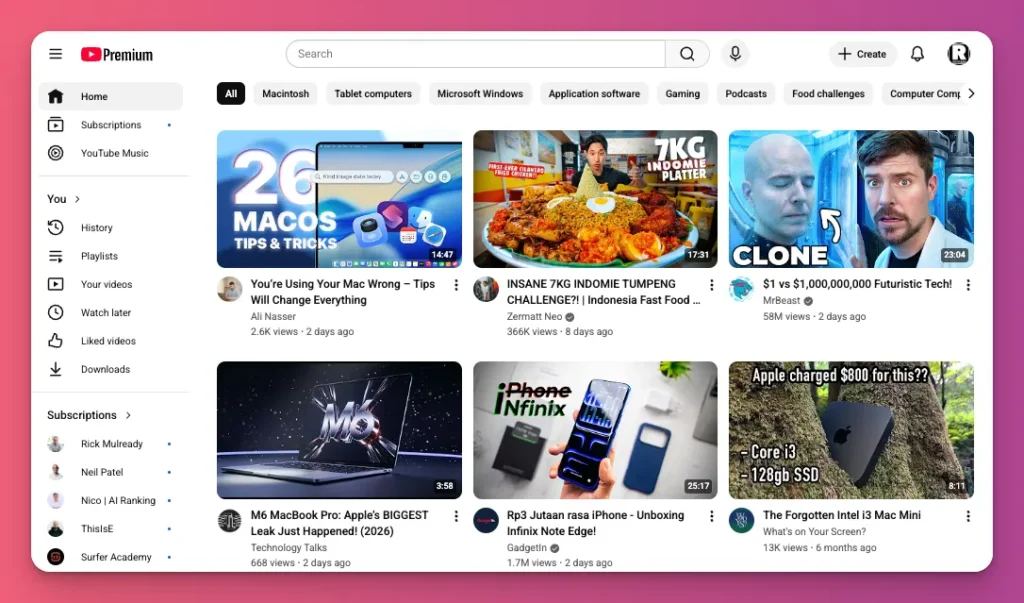
Views come when the algorithm matches your content to someone’s interests, based on watch history, subscriptions, and engagement.
It shows more videos from channels people watch, plus new creators in topics they search for.
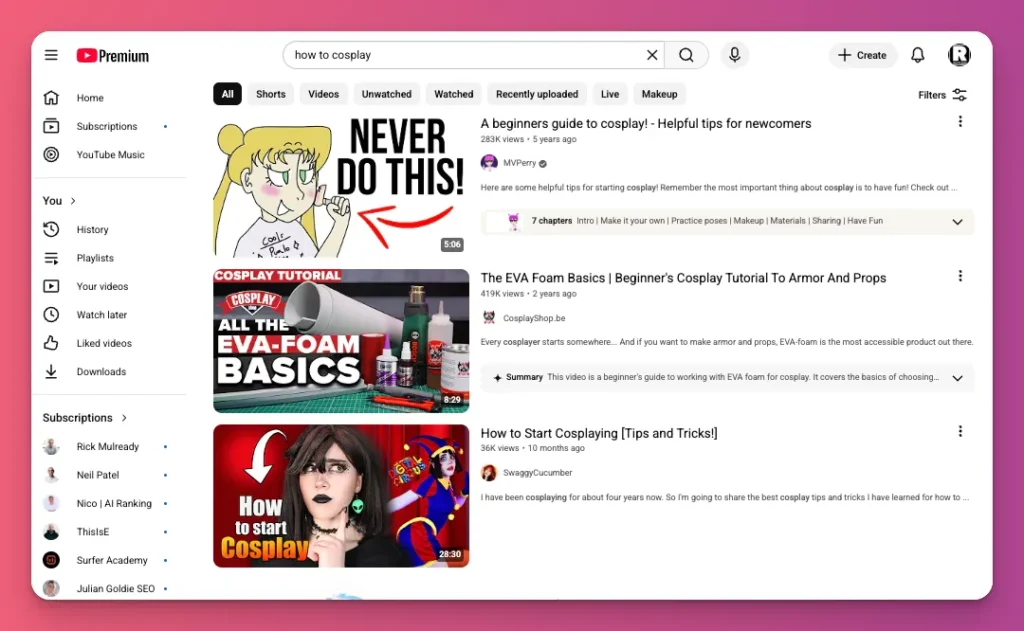
4. Search Results
You get views when your video answers a specific question. Your ranking shows how well the Recommendation System fits what a viewer is looking for.
Suggested and Home feeds are predictive. Search is intent-driven. Views rise when people actively search for your topic, on YouTube or via Google’s AI results.
If your video titles begin with the main keyword and use natural descriptions, you may rank well when viewers search for that exact query.

5. Shorts Feed
You earn views when the YouTube algorithm lines up with what a viewer has watched and done in Shorts. It cares about “watched vs. swiped away,” so the first 1–2 seconds decide whether your Short gets shown to more people.
Behind the scenes, the system tests new Shorts with seed audiences and checks if viewers watch or swipe away. If people watch or engage, YouTube pushes it to more viewers.
6. Subscriptions Feed
This gives you few views because uploads show up in a feed of recent videos from channels they follow, to subscribers.

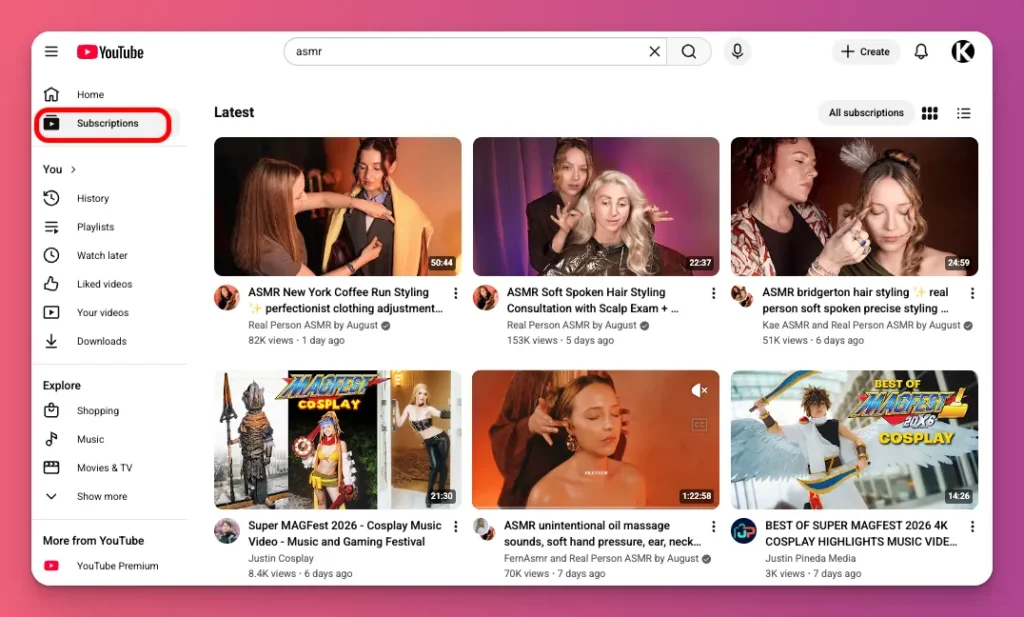
Views come only from subscribers who check the Subscriptions tab.Subscribers who regularly watch your videos see them higher in the Subscriptions feed, while inactive subscribers fall lower.
7. Explore Tab
Content here may appear in interest-based charts like fashion, learning, wellness, YouTube live and local updates. Views are usually lower than on other surfaces. People want variety, not commitment.
For creators, showing up here signals topic authority, but it’s mostly a discovery seed, not a main source of watch time.
Key Ranking Factors That Influence Algorithm
Here are factors that can help your content reach more people and earn more views, based on context-aware first principles and matchmaking:
1. Click Through Rate
Click-through rate (CTR) measures the percentage of people who saw your thumbnail and actually clicked. It’s your video’s first impression.
If your thumbnail and title don’t grab people, the algorithm won’t even get enough views to judge if your content is any good.
And, what counts as a “good” CTR depends on the context.
- Search traffic: people with high intent tend to land around 7–12% CTR.
- Browse and suggested: these discovery surfaces usually sit at 2–8%.
You need to track CTR over time, not a single perfect number. And the first 48 hours are a vital testing phase.
If your CTR is far below baseline, act quickly. A better thumbnail can boost CTR on existing traffic, increasing impressions as the algorithm responds to improved performance.
2. Watch Time & Audience Retention
Two vital YouTube ranking signals are Watch Time and Audience Retention. These metrics help decide if a video delivers on its thumbnail and title.
Watch time is the total minutes viewers spend on your video, while audience retention is the average percentage of the video that viewers watch.
As of early 2026, YouTube prioritizes “Valued Watch Time” over raw duration, focusing on Relative Retention which is how well your video performs compared to others of similar length.
Now, think of two videos:
- Video A: 10 minutes, 50% retention (AVD = 5 minutes)
- Video B: 20 minutes, 25% retention (AVD = 5 minutes)
Both videos kept viewers for 5 minutes, but Video A wins. In the 2026 recommendation system, 50% retention means the content delivered on its promise and kept people hooked.
On the flip side, 25% retention on a 20-minute video signals a “Satisfaction Gap,” which means 75% of viewers felt the length didn’t justify it or meet expectations, throttling distribution.

3. Session Time
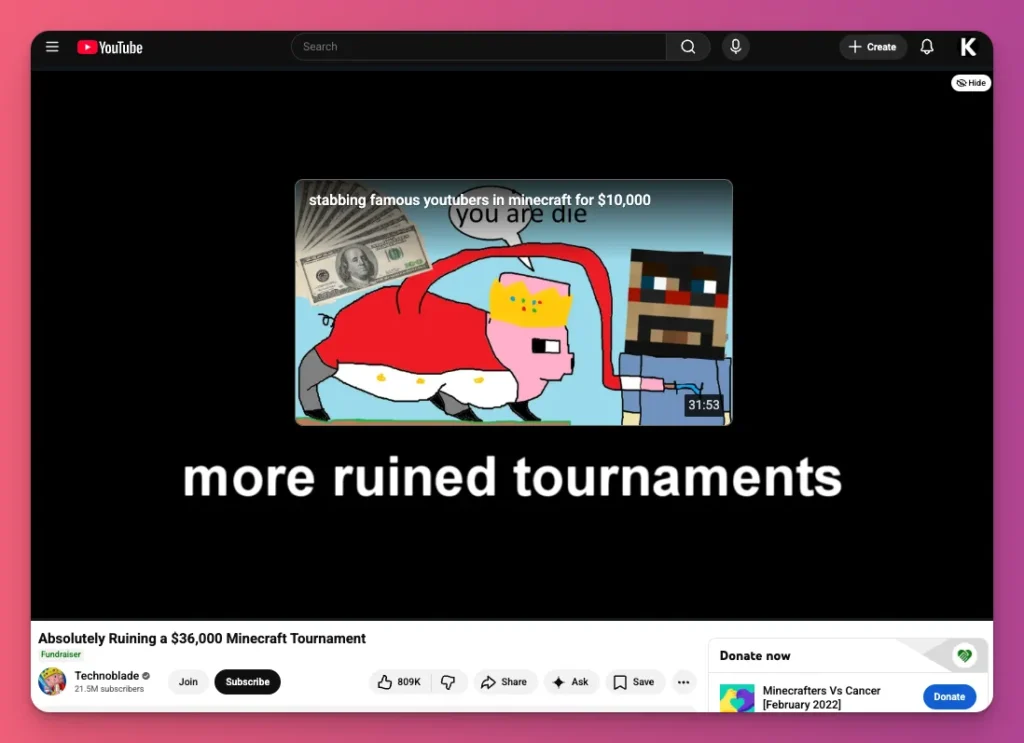
Session Time is a key metric that shows how long a viewer sticks around on YouTube after watching your video.
Watch Time tells you how well one video performs, but Session Time shows how long your video keeps someone on the platform. So yes, YouTube doesn’t just care about time on your video.
The YouTube algorithm tells apart two important events:
- Session Starts — your video is the entry point that brings someone to YouTube (via alerts, links, or search). This is great because you basically delivered a customer to the platform.
- Session Continuity — a viewer ends your video and taps another, yours or a rival’s. This is best, since it keeps viewers on the platform’s ad inventory longer.
If viewers watch but then exit the app, the algorithm records a “Session End.” Even strong retention, ending the ride can cause the system to drop your videos and promote gateway content that hooks viewers into a longer binge.
4. Engagement
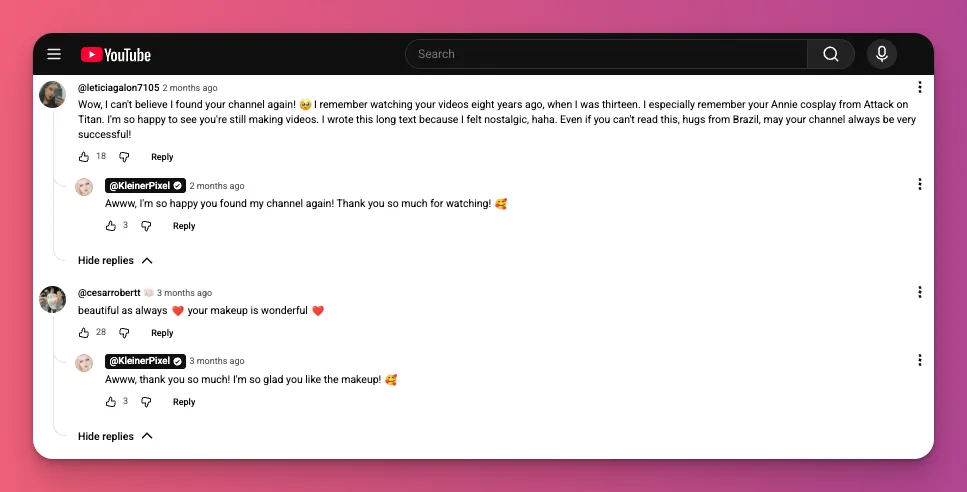
Engagement includes likes, comments, shares, and clicks on end screens. And YouTube algorithm doesn’t weigh these signals equally. Engagement quality matters.
Thoughtful comments beat likes. A like is quick tap, but a comment shows real attention and starts conversations that extend Session Duration, signaling value to the YouTube algorithm.
Behind the scenes, the system uses AI to analyze Sentiment Patterns. It can tell if a discussion is authentic or born of engagement-bait.
So, to invite real interaction:
- Ask precise, high-intent questions — “Which step would you try first?” This helps the algorithm sort your audience.
- Nail the first hour — reply within 60 minutes to boost Engagement Velocity, which the recommendation engine uses to test your video with more people.
- Skip the bait trap — skip inauthentic tricks like begging for subs in the first 10 seconds or stirring fake drama. Those patterns get flagged and can cost you reach.

5. Audience Satisfaction
Audience satisfaction matters more than raw engagement. Watch time shows what was watched; satisfaction signals reveal how they felt.
Two signals hint at satisfaction for YouTube’s algorithm:
- Positive — finishing the video, rewatching sections, watching more from your channel, saving to playlists, and sharing externally. Rewatches carry extra weight.
- Negative — clicking “Not Interested,” choosing “Don’t Recommend Channel,” or exiting to the homepage soon after starting.
Remember, negative signals from similar viewer profiles teach the YouTube algorithm to skip that audience.
Also don’t overlook satisfaction surveys. YouTube may ask, “Did this video meet your expectations?” or “Would you watch more from this creator?”
Sure, you can’t control who answers, but you can make sure your content delivers on its packaging promise.
6. Relevance
Relevance decides if you show up in Search, Home, and Suggested feeds. And now the AI systems “watch” your video. They transcribe the audio and check the footage to figure out what it’s about.
What about metadata? It’s still the main way you tell the algorithm what you’re targeting. We’re talking about:
- Title
- Description (especially the first lines)
- Captions/transcript
- Tags (keep them minimal, mainly for typos)
So how do you deal with this ranking factor and sync with the YouTube algorithm?
- Speak like real people, not SEO bots and include closed captions. Use phrases like “how to get brand deals” instead of “influencer partnership acquisition”.
- Put your main keywords and your video’s “promise” in the first 40 characters of your title.
- The first 2–3 lines of your description are a big deal. It’s important both for the viewer and the algorithm what the video delivers.
7. Channel Authority
Channel authority on YouTube comes from topical authority and satisfying intersecting content clusters, not subscriber count, not YouTube banner aesthetics.
It hinges on consistency and predictability. The algorithm gains confidence in your channel when you stay steady with your topic. Posting related videos builds a Topic Map of what you know.
A 5K-subscriber channel that posts weekly gaming tutorials can have more niche authority than a 50K-subscriber channel posting random content.
Why? A random viral hit can boost views but dilute your core audience. If a tech channel’s comedy skit goes viral, you gain “Comedy Fans.”
But when you go back to tech, YouTube is trying out the new subs. People might not click, so the video could get deprioritized because the algorithm thinks it’s flopping.

8. Return Viewership
A single viral hit grabs attention, but consistent returning viewers are where the real business is. That’s why the YouTube algorithm cares about return viewership.
It shows Channel Trust when people come back. That proves your content is high-quality enough to become part of someone’s daily routine.
Before, in the Audience tab, you can see New vs. Returning, right? That’s the point. Now it splits your audience into three key groups.
- New Viewers — First-time audiences.
- Casual Viewers — People who’ve checked out your content in the last 12 months, 1–5 times.
- Regular Viewers — Your “Superfans” who’ve watched at least once a month for 6+ months.
YouTube cares about the regulars. They fuel those long, loyal sessions. If your regular or casual viewer numbers drop each month, the algorithm sees your content durability is declining.
Usually this happens when you drift away from your main vibe or don’t follow the exact format people signed up for.
And to keep them coming back:
- Use the same colors, fonts, or hosts so regulars can spot your video instantly in a crowded feed.
- Treat your uploads like a series. End every video by teasing the next step in their journey.
9. Shorts Performance
This ranking factor is like a turbo boost for your content. And this is a tricky variable for the YouTube algorithm.
Shorts are built for quick, vertical videos and rely on a separate recommendation system. The Shorts algorithm focuses less on click‑through rate (because of autoplay) and more on:
- view-to-swipe-away rate
- completion percentage
- replays
- engagement (likes, comments, shares)
Shorts can boost exposure and subscribers. But new followers may only want short‑form content. If your long videos are 15‑minute deep dives, there could be an audience mismatch.
For example, a tech reviewer can hit 100,000 subs when viewers vibe with an ASMR keyboard video. That 20‑minute laptop review might not land with the same audience.
So, if you want to stand out on Shorts and perform well in the YouTube algorithm, apply these:
- Clip core ideas from long‑form videos
- Tease deeper results you cover in full videos
- Use pinned comments and descriptions to funnel viewers
- Treat Shorts as the top of the funnel, not a separate empire
Tips to Boost Your Reach on YouTube in 2026
Here are some tips to ride the latest YouTube algorithm and push your content further:
- Refresh packaging before blaming the algorithm — If CTR stays below the channel average after 48 hours, the packaging might be failing. Swap in a single, clear thumbnail. In 2–3 days, check the data: if CTR rises, keep it; if not, revert.
- Hook viewers in the first 10 seconds — People decide fast, so cut to the value. Start with a curiosity gap or jump straight into the main content.
- Get your audience ready — Don’t post randomly. 24 hours before, hype with a Community post or an email. When you’re live, pin a comment to spark conversation.
- Check impression data — Stay calm about day-one numbers. Let analytics tell the story. Low CTR = weak packaging; low retention = a boring hook or middle. If retention drops early, rewrite the hook for the next video.
- Use pattern interrupts — Viewers drop after the hook, so reset attention every 30–60 seconds. Add a pattern interrupt (zoom cut, B-roll, or text overlay) about 3–5 seconds before a known retention drop.
- Front-load strongest content — If viewers stick around six minutes, put the best arguments and visuals in the first six and deliver the main payoff before the AVD. Put top moments where most viewers are to maximize watch time.
- Create ethical open loops — Be real about what’s next. Leave an open loop, then deliver on the tease to keep trust. Use loops to connect steps and show why Step 1 matters for Step 3 in tutorials.

Youtube Algorithm Explained: A Wrap Up
YouTube doesn’t care about your brand as a creator. It cares about viewer satisfaction. And that’s what the YouTube algorithm is all about.
Think of it as a neutral matchmaker, linking your content to interested viewers. To win, focus on content quality, topical relevance, and satisfaction metrics. Nail these to win back those views.
Want more YouTube tips and how to earn more from your content as a YouTuber? Subscribe to our blog and join Gank to earn money from fans’ donations, merch sales, and memberships.
FAQs About Algorithm for YouTube
How long for YouTube’s algorithm to notice a new channel?
Speed depends on having a clear niche, consistent content quality, and thumbnails and metadata that match viewer expectations.
When you upload, YouTube tests your content with different viewer segments to measure engagement and retention. Momentum grows as your videos repeatedly satisfy the same audience.
How do you “trigger” the YouTube Algorithm?
There isn’t a trigger button. YouTube’s recommendation uses a match score based on how viewers behave. To get noticed, aim for high CTR, strong retention, and fast engagement.
Also, consistency in a niche matters more than one post. It builds authority. So, focus on content for a specific intent to trigger positive signals.
What happens if you watch your own YouTube videos?
Your views add to the total view count and watch time in your analytics. But YouTube knows when you’re the viewer. A few checks are fine, but self-views don’t affect the algorithm.
So, don’t rewatch your own uploads to boost stats. Focus on attracting external viewers. That’s the real engagement YouTube uses for recommendations.
Does deleting old videos hurt channel?
Yes. Deleting videos can hurt your channel. YouTube’s recommendation system links uploads to your viewers, so removing videos weakens those links and can lower your rank.
Also, check analytics. Small, steady traffic matters. For example, an old video with 50 views per month loses about 600 a year. Only remove videos that have zero traffic after several months.
Is “shadowbanning” real or just low performance?
YouTube doesn’t shadowban in the traditional sense. What feels like shadowbanning is usually an algorithmic performance decline.
Low CTR and poor retention from recent uploads train the system to show your content to fewer people. Check Analytics for metric drops. Did CTR fall? Did retention collapse? Those explain reduced impressions.