



Ever see lossless audio in your settings and wonder what it’s all about? It’s basically the difference between between studio-quality sound and the muffled audio of a phone call.
For content creators trying to get noticed, that difference isn’t small. It’s what separates amateur and professional-grade sound.
This guide explains what lossless audio is, how it differs from lossy formats, and whether you should use it for all your content. Let’s get started.
What Is Lossless Audio?
Lossless audio is a digital format that keeps all the original sound data. It uses compression to make the files smaller, but when you play it back, it’s exactly the same as the original.
In short, no quality is lost at all despite that compression. But it doesn’t mean it’s uncompressed like WAV or AIFF. Think of it like a ZIP file for audio that can be perfectly restored.
The data is reorganized more efficiently without losing any information. And keep in mind that lossless audio bit depth and sample rate vary.
Standard lossless matches CD quality: 16-bit at 44.1 kHz with a bitrate of 1,411 kbps. High-resolution lossless offers 24-bit at 96 kHz or 192 kHz.

But why compress it at all?
Compression matters in digital audio. If you record 50 podcast episodes in uncompressed WAV at CD quality, you’ll need over 30 GB of storage.
Using lossless formats like FLAC or ALAC reduces size to 12-18 GB without quality loss. Lossy formats like MP3 or AAC can even cut it by up to 90%, bringing files to around 3-5 GB.
That size difference affects your daily work. Smaller files back up faster to Google Drive, upload quicker to podcast platforms, stream smoothly, and are easier to edit on your hard drive.
For content creators with large libraries or limited storage, choosing between lossless and lossy compression is key to balancing quality and file size.
Related: Podcast Studio Setup
Lossy vs. Lossless Audio: The 9 Key Differences
Here’s what content creators and audiences need to know about the differences between lossy and lossless audio:
1. Sound Quality
Lossless audio keeps all the sounds and details. So, the sound quality is awesome. Your recording sounds just like in the studio, with all the depth, sharp sounds, and tiny noises.
It keeps the warm tones that make voices special, the high sounds that make recordings feel airy, and the full stereo image that adds space.

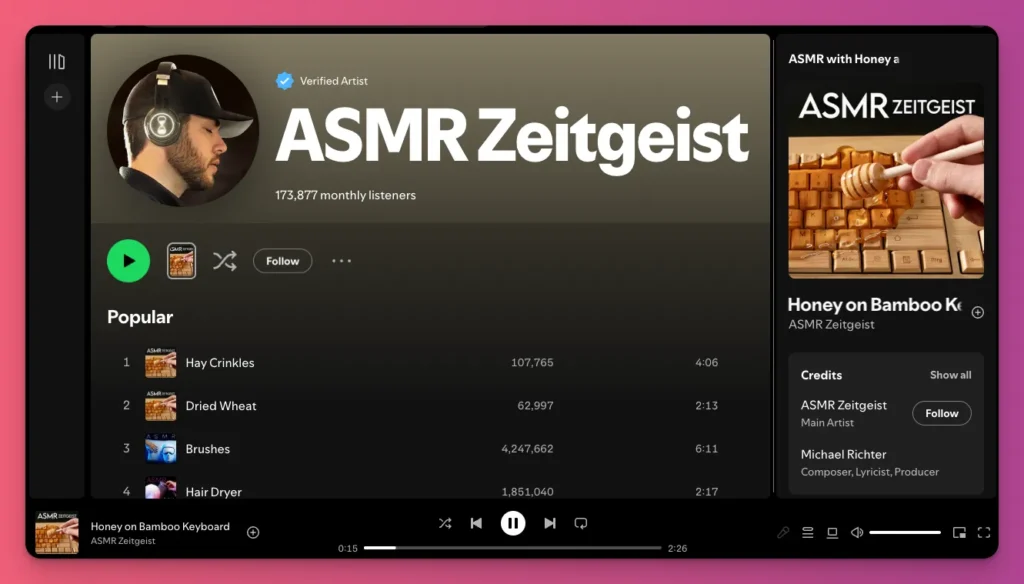
This is especially important for ASMR videos, where quiet sounds like whispers and tapping matter.
Lossy compression makes the file smaller by removing some sounds, often cutting out high-pitched noises above 16-18 kHz and quiet details, which can make ASMR less effective.
2. Stereo Accuracy
Lossless audio keeps the exact phase between left and right channels. So your stereo image stays just right. Spatial effects like reverb and panning stay clear, especially for binaural and 3D audio.
Lossy compression uses “joint stereo” to reduce file size by merging similar parts of the channels, but this loses some phase info. It makes the sound narrower and less immersive, almost mono.
Phase issues show up in mono playback, like on phone speakers. Lossy files with changed phase can cause sounds to cancel or fade.
For ASMR and spatial audio, this difference is key. Joint stereo can ruin the sense of space and realism.
3. Seamless Looping
Lossless formats like WAV and FLAC keep every audio sample exactly the same, with no gaps or padding. That makes them perfect for looping smoothly.
Whether it’s “Stream Starting Soon” tunes, background sounds, or alerts, lossless files can loop seamlessly. Your 30-second track can play for 15 minutes without anyone noticing any breaks.
On the flip side, lossy formats like MP3 and AAC store audio in fixed frames. If the audio doesn’t fit perfectly, tiny silences get added at the start or end.
When it loops, those gaps become obvious, breaking the flow and sounding unprofessional.
4. Flexible Post-Production
When you stretch audio for slow motion or change a voice’s pitch, your software needs good info to fill in gaps.
Lossless formats provide a solid base for smooth, natural sound, while lossy audio has tiny holes where data was removed.
Editing an MP3 causes the software to guess what should be there through interpolation, which can sound strange or robotic. And this often happens in music production software.
This lowers audio quality, and the more you stretch a compressed file, the more noticeable those digital glitches become.
5. Quality After Uploading
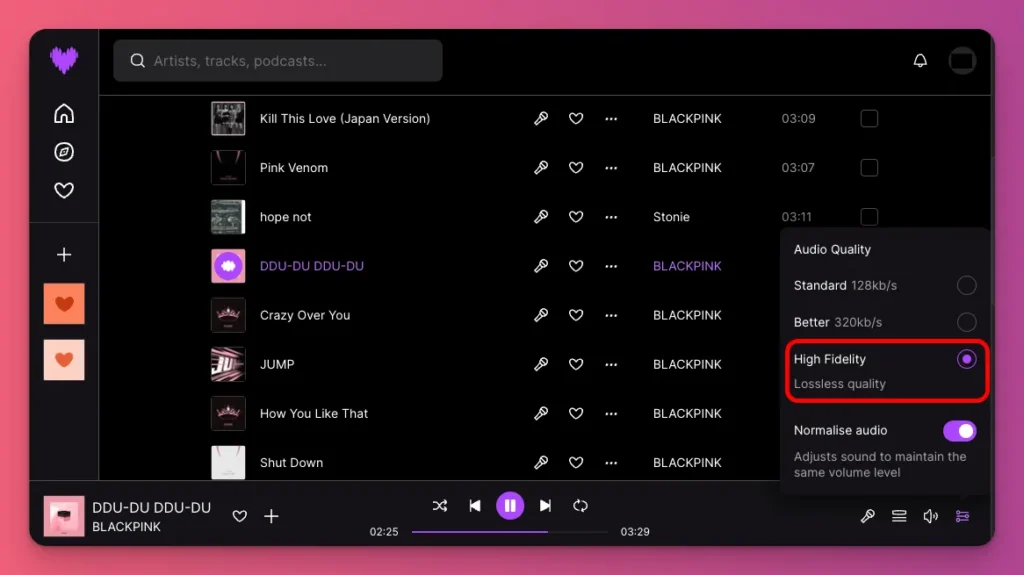
Platforms like YouTube and Spotify compress your audio to save space, turning your file into their streaming version, even though platforms like Spotify also offer lossless audio quality for their premium users.
When you upload a lossy file, they re-encode it, which can make the quality worse. A photocopy of a photocopy. This “generation loss” can make high-frequency sounds sound muffled.
On the flip side, uploading lossless gives you more control. You can’t stop compression, but a high-quality master helps cut down on unwanted artifacts.
6. Changes in Quality Over Time
Lossless audio keeps its quality no matter how many times you edit, re-export, or convert it. This stability matters for content creators.
You can open a FLAC file, make changes in your DAW, then export it as a WAV file. Import that into your video editor, render it again, and the sound stays the same.
Lossy formats, like MP3, get worse each time you re-encode. Every copy adds noise and loses details. If you record in MP3, edit, re-save as MP3, and upload, the sound can become distorted.
7. Long Term Archiving
Lossless audio is best for archiving. Saving your masters as WAV or FLAC keeps everything exactly as it was, giving you a permanent, high-quality backup.

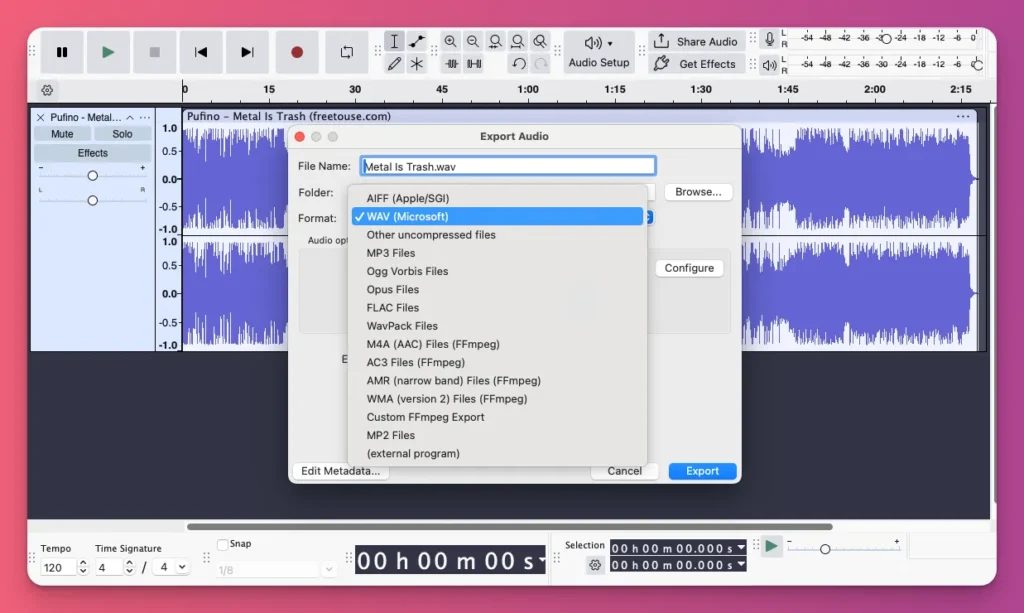
And because lossless audio files keep all the data, you can convert them to any format later without losing quality. So, shen new streaming codecs come out, your files will be ready.
On the flip side, using lossy files like MP3 for archiving is risky. It drops quality permanently, and you can’t get that data back. If you need to remix later, you’ll be stuck with that lower quality.
8. Play Back Compatibility
Audio formats come down to two things: compatibility or quality. MP3s work everywhere. iPhones, old stereos, burner phones. So if you want everyone to hear it, MP3 is the best choice.
Lossless formats are better quality but more picky. FLAC doesn’t work well on Apple devices, which prefer ALAC, and WAVs can crash simple players because of their size or missing info.
For creators, record and edit in lossless, share in lossy. Don’t send WAVs to fans or upload FLAC to basic sites, they may say “File Not Supported.”
9. Bandwidth and Storage
Lossless audio files can be up to five times larger than lossy ones. Uploading 500MB WAVs instead of 60MB MP3s takes more space and uses more mobile data.
Streamers on Twitch or YouTube rely on bandwidth. So, uploading uncompressed audio can cause lag or dropped connections.
That’s why using AAC at 320kbps offers good sound quality without overloading your bandwidth, helping your streams run smoothly.
Why You Should Use Lossless Audio?
Here’s why lossless audio could be your best choice for content:
1. Sound is the First Impression
That swishy sound in a YouTube voice clip makes you look unprofessional. People might not know why, but they sense it. They click away.
It’s usually from generation loss when YouTube recompresses an already compressed MP3. That’s why using lossless files matters.
Upload a WAV or FLAC for a clean source. It stops double compression. Then YouTube’s encoder works from a high-quality file, avoiding those weird artifacts that look amateur.
2. Avoid Double Compression
If you want your listeners to hear the best sound, you need to avoid double compression. This happens when your audio is encoded in a lossy format twice.
First, you save or record it as lossy format like MP3 or AAC, which reduces some data. Then, when you upload it to YouTube, its system re-encodes it again into its own streaming format and bitrate.
To avoid that, use a lossless format like WAV for recording, editing, and export, and upload it as your master whenever possible. This way, there is only one lossy stage. Cleaner voices and game sound.
3. More Room to Edit the Content
Working in lossless audio means edits are made to the full-quality sound. You can revisit old projects to cut pauses, fix levels, or rebuild an intro later without it sounding more processed.
For content creators turning streams into highlights, podcasts into shorts, or updating segments, this matters. Using a fresh source preserves sound quality through every edit and re-export.
4. You Collab with Other
Sometimes, you need to work with other creators on an audio file, or hire an editor to mix clips, add graphics, and polish the final version.
If you send them messy MP3s, you’re just making it harder for them. While they can reduce noise and rebalance elements, heavy compression and poor quality limit how well they can fix issues.
But if you send a clean, separate track, they can make you sound way better. They can EQ, cut noise, and even out the levels because the original file is high quality.
5. Future-proof Masters
Fast forward three years. Your sound design, EQ, and mixing are now on point. Now what? Remaster your best episodes, right? But wait, can you really?
While you can remaster an MP3 with limitations, lossless files keep the original data.
You can tweak the EQ, re-compress, or adjust the balance. You’re working with a clean file. This can breathe new life into your archive and give old viral clips a second shot.
6. You Want to Make Money from Your Content
If a documentary maker wants to license a clip of your gameplay or a brand asks for your voiceover for an ad, they’ll want the master audio file in high resolution, not a lossy MP3.
So, if you think you might sell your music as a creator or license your content someday, start with lossless audio right from the start. It makes everything easier.

Why You Don’t Always Need Lossless
Here’s why skipping lossless audio might be okay:
1. You’re Just Streaming
For live-only streaming, lossless audio isn’t much needed because the platform won’t deliver it anyway.
When streaming to Twitch from OBS, your audio is already compressed as a lossy stream. So, live creators should focus on a stable, clear lossy stream and keep a separate lossless local recording.
This makes sure the live feed remains at a manageable bitrate for your internet and viewers, including when you do audio streaming.
2. You Focus on Social Media Content
You can skip lossless audio for “disposable content” on TikTok or Instagram. Most viewers watch quick clips or live streams on their phones during commutes or breaks.
When watching on mobile, viewers often overlook minor imperfections. With phone speakers or basic earbuds, clear, intelligible sound is more important than ultra-high fidelity.
Related:
3. Technical Limitation
Imagine you’re working with key figures in your niche on live Discord. Unfortunately, their connection keeps dropping. Would you push them to produce the content in lossless audio?
Demanding a perfect, lossless setup is pointless. They may not have good connections to send uncompressed audio without dropouts or call problems, which could ruin the whole project.
How to Get the Most of Lossless Audio
If you think lossless audio is the move for content creators, here are some tips to make it work for you:
1. Treat Your Room First
Before you start recording, give a loud clap in your room. If you hear a “zing” or echo, your lossless mic will catch it in high definition, and that echo will stay in your file forever.
You don’t need costly acoustic foam. Hang a blanket behind your chair. Add a rug on the floor. Even a closet works, many streamers record there.
Lossless audio depends on the recording room. Your file is raw and will amplify room imperfections, so fix the room first.
2. Record With Safety Headroom
Why max out your mic? Back in 16-bit days, recording loud was needed to avoid hiss. Now, with 24-bit, you can record quietly and boost later.
Set your gain so screams peak at -12dB and normal voice at -20dB. This guarantees you never clip (distort). In post-production, boost the overall volume to where you want it.
3. Record Separate Tracks in OBS
Never record all audio on one track. If your game is too loud, your voice can be rebalanced later using separate tracks.
Also, set OBS to record in MKV format to enable multiple audio tracks. Assign Track 1 to “Stream Mix,” Track 2 to “Mic (Raw),” Track 3 to “Game,” and Track 4 to “Discord.”
During editing, adjust the mix. Lower Track 3 if the game is loud, boost Track 4 if a guest is quiet, and EQ Track 2 if your voice sounds muddy. These tweaks offer better control.
4. Match Your Sample Rates
Set all your devices in the audio chain to 48kHz, including Windows Sound Settings, OBS, your audio interface driver, and your DAW if used.
If your microphone is 44.1kHz and OBS is 48kHz, your audio will drift out of sync with your video during a two-hour stream, causing lips and voice to mismatch.
Related: Good Bitrate for Streaming
5. Apply Effects Nondestructively
Never add effects like EQ, compression, or noise gates directly into your recording. Record your mic clean, then shape your “radio host” vibe live with OBS VST plugins.
Keep a raw version on a separate track so you can fix or redo if noise gates mute whispers or compressors overdo it. Professionals do this. Nondestructive editing offers endless options.
Software Settings for Lossless Audio
Want to set lossless audio with different software? Here are the steps to do it:
1. OBS Studio
You can’t stream lossless to Twitch due to bandwidth limits. But you must record lossless locally. Here is a simple, minimal setup for lossless recording in OBS Studio:
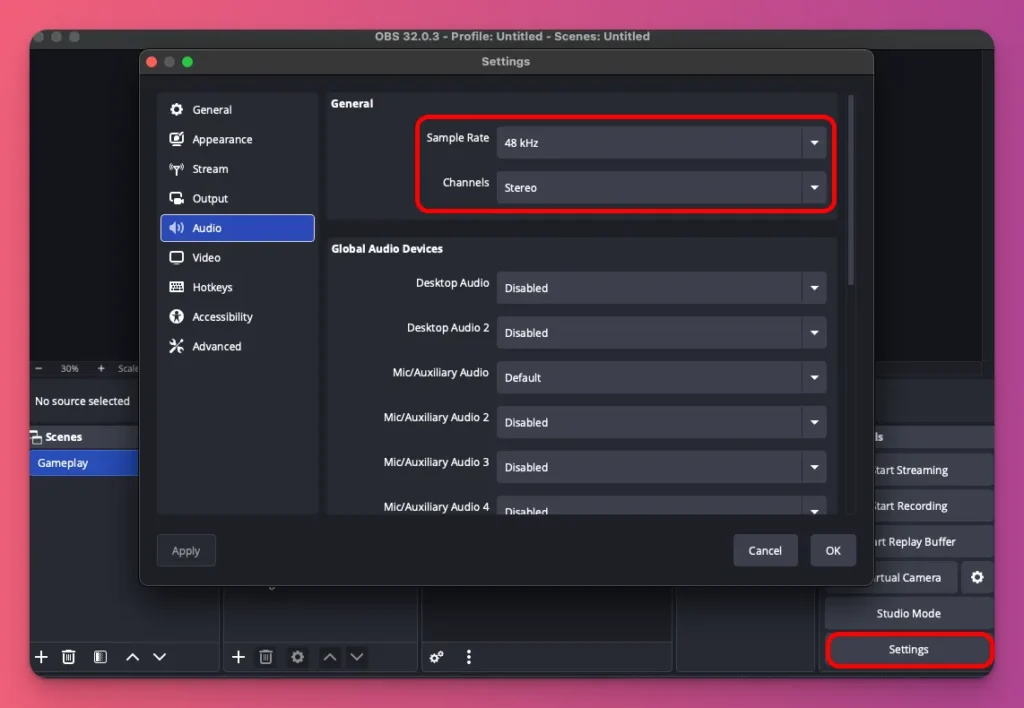
- Open Settings > Audio and set Sample Rate to 48 kHz and Channels to Stereo.
- Go to Settings > Output, set Output Mode to Advanced, then open the Recording tab.
- Set Recording Format to MKV.
- In Audio Encoder, choose PCM or FLAC (both are lossless).
- Click OK, then use Start Recording to capture a lossless local file while you create content.

2. Audacity
You can use many apps to record your podcast, like Audacity. To make lossless audio, here’s how:
- Open Audacity and select your microphone.
- Choose 2 (Stereo) Recording Channels for better sound.
- On Windows, select WASAPI; on Mac, choose Core Audio.
- Click the Record button to start.
- Stop when you’re done.
- Go to File, then Export, and choose Export as WAV or FLAC.
- Set the Sample Rate: 48kHz and Bit Depth: 24-bit for professional quality.
- Upload your WAV file to the platform for that content.
Related: How to Upload Podcast to Spotify
What Does Lossless Audio Mean: A Wrap Up
Most people won’t catch every detail, but they’ll see the difference between noise and content that matters.
Lossless audio keeps sound clear on any device and over time. To turn views into income, treat your sound as an asset. Use lossless for the best quality, and lossy for smoother streaming.
That choice decides if your content is worth listening to and sounds professional enough to get more followers. Once you reach that point, you can start thinking about making money from it.
Relying on Spotify and YouTube ads works, but why not join Gank and start earning right away? You can make money through fan donations, commissions, and merch sales. Up for it?
FAQ About Lossless Audio
Is lossless audio better quality?
Yes, lossless audio formats like FLAC, ALAC, and WAV keep every bit of the original sound. They give you the best quality. The sound is clearer and more detailed, especially on nice headphones or speakers. Unlike lossy files that cut parts to make them smaller, lossless keeps everything.
What’s lossless audio on Spotify?
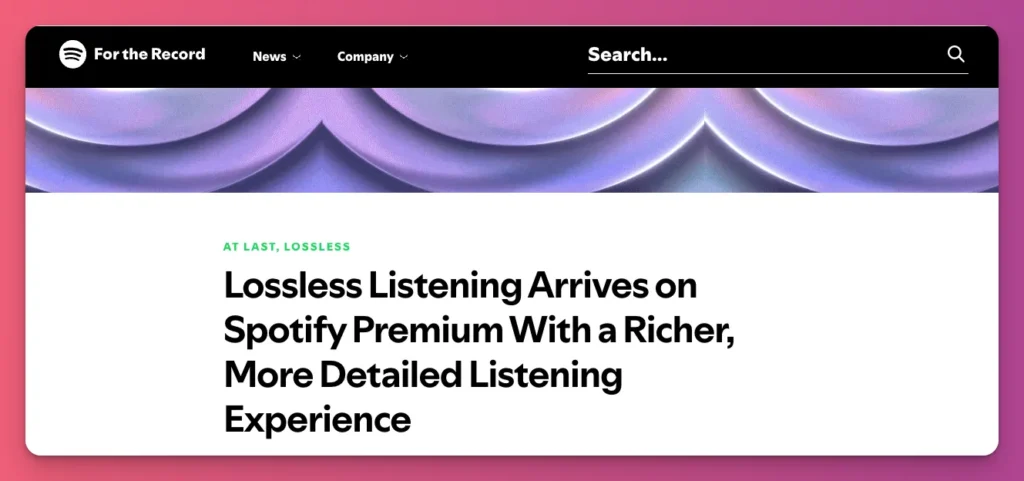
Spotify’s lossless FLAC streams at up to 24‑bit/44.1 kHz, delivering the original master sound. Only Premium users with compatible devices can enable this in Media Quality. For best sound, use Wi‑Fi with 1.5–2 Mbps. And this applies only to music, not videos or podcasts.
If Twitch compresses audio to 160kbps, why record lossless?
You’re creating for more than Twitch. You’re making clips, YouTube videos, TikToks, and repurposing content. Using a lossless audio clip makes it sound better after compression.
Do I need an expensive microphone to benefit from lossless recording?
A $30 microphone works as well as a $300 one in a lossless workflow. Lossless keeps your data safe, and even cheap gear sounds better when you’re not re-compressing it over and over.
FLAC vs. WAV? Which one should I use?
FLAC saves about 50% of storage compared to WAV. WAV opens faster in editing. So, use WAV for editing and FLAC for archiving. Some export from OBS as WAV and then compress to FLAC.